

4.4
Free
CapCut
CapCut: Your journey to creative freedom
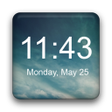
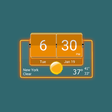
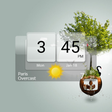
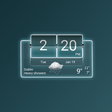
What is the Flip Clock widget?
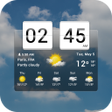
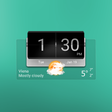
It is an application that allows you to display the current time on your phone's home screen. It is useful for people who need to keep track of the time and date at all times. You can use it on a phone or tablet and it will work perfectly.
How to use the Flip Clock widget?
The first thing you need to do is download the application from the Play Store. Once you have installed it, activate it then you will be able to see the widget on the home screen.
Join our community to discover and share great apps together!
Register in less than a minute for free
Free
CapCut: Your journey to creative freedom

Free
Free-to-use modding platform

Free
Quickly download your favorite videos

Free
A free XAPK tool

Free
Versatile file transfer app

Free
Start Some Video Chats With OmeTV

Free
K2er - Gamepad Keyboard Mapper for Android

Free
A free app for Android, by West-Hino.

Free
Hörmann BlueControl: The Ultimate App for Maintenance Work
Free
A free program for Android, by Roxanne Crete.

Free
My SRIB - Simplify Your Work Processes

Free
Reliable VPN for Secure Internet Access

Free
A travel and vehicle document storage tool

Free
Measure your smartphone’s true performance

Free
App-cloning mobile app

Free
IMB GFX TOOL: Enhance Your Gaming Experience

Free
Injector Origin Customization Tool

Free
A free app for Android, by VIPAPP.
Free
Free
Free

Free
Free
Free
Free
Free
Free
Free
Free
Free
Loading next article