Desktop Clock Apps for Time, Alarms and Focus

Update: Sep 7, 2026 · 255 apps reviewed

Desktop clock apps keep the time visible, but the best ones do much more than sit in a corner of the screen. They can add world clocks, alarms, timers, countdowns and focus tools that help you stay on schedule without opening extra windows. The strongest options balance low resource use, clear readability and flexible customization, so the clock fits your workflow instead of distracting from it. If you need a simple always-on time display, a reminder hub or a productivity timer for deep work sessions, the right desktop clock should be fast, reliable and easy to glance at.

Chennon Kyle CK Santaren

Chennon Kyle CK Santaren

Tech & Lifestyle Writer

Tech and lifestyle writer with a sharp eye for digital trends, gaming gems, and productivity tools. CK draws on his e-commerce background to deliver concise, practical software recommendations.

Top programs about Desktop Clock

  • Editor's choice
    4.2

    18 reviews

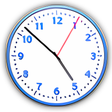
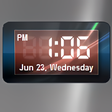
    A customizable desktop clock with built-in planning tools

    • Adjust clock opacity to keep it unobtrusive
    • Switch to a 12-hour time format
    • Set alarms, countdowns, and a to-do list
    • Use Pomodoro tools for focused work sessions

    Ideal for

    • Remote workers tracking deadlines
    • Desk setups with always-on time display
    • Pomodoro-focused study sessions
    • Task & Time Management

      7 / 10
    • Capture & Organization

      5 / 10
    • Sync & Integration

      4 / 10
    The strongest part here is the mix of a desktop clock with basic planning tools like alarms, countdowns, a to-do list, and Pomodoro support. But the untranslated Chinese text, occasional unresponsiveness, and paywalled themes make it hard to recommend beyond simple timekeeping.
    Chennon Kyle CK Santaren
  • Choose Softonic on Google and you'll see more of our articles in Top Stories, AI Overviews and AI Mode.

  • 3.8

    17 reviews

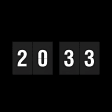
    A desktop clock built for at-a-glance focus

    • Large white numerals for instant readability
    • Classic black face with a vintage flip style
    • Minute-by-minute flip animation with sound
    • Designed for extended display on monitors

    Ideal for

    • Desk setups with a distant screen
    • Monitor displays in shared spaces
    • Minimalist timekeeping on a desktop
    • Capture & Organization

      3 / 10
    • Sync & Integration

      3 / 10
    • Task & Time Management

      3 / 10
    The big win here is readability: the oversized numerals and flip animation make time easy to track from across the room. It gives you almost nothing beyond the clock face, so it suits a desktop display more than any real notes, planning, or task workflow.
    Chennon Kyle CK Santaren
  • 4

    A tiny desktop clock you can pin anywhere

    • Shows the exact date and time in a compact widget
    • Move the clock anywhere and pin it in place
    • Adjust opacity, text size, font, and layout
    • Set it Always on Top or run it without installing

    Ideal for

    • Desktop timekeeping
    • Custom clock themes
    • Portable no-install widget
    • Capture & Organization

      3 / 10
    • Sync & Integration

      3 / 10
    • Task & Time Management

      3 / 10
    The appeal here is a lightweight desktop clock that stays visible without getting in the way, with enough appearance controls to fit different workspaces. It is more about constant time awareness than notes or planning features, so it suits people who want a simple on-screen reference rather than task management.
    Chennon Kyle CK Santaren
  • 4.2

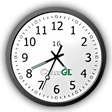
    A floating desktop clock with quiet, constant visibility

    • Round analog clock stays visible on your screen
    • Shows accurate time down to the second
    • Adjust transparency for a less distracting overlay
    • Change text, background colors, and skin effects

    Ideal for

    • Desk workers tracking the clock at a glance
    • Minimalist PC setups without taskbar checks
    • Custom desktop themes and color matching
    • Capture & Organization

      3 / 10
    • Sync & Integration

      3 / 10
    • Task & Time Management

      2 / 10
    The clock’s biggest strength is its always-on-screen presence, which keeps time visible without cluttering your workspace. It skips alarms, reminders, and other planning tools, so I’d treat it as a visual time reference rather than a full productivity organizer.
    Chennon Kyle CK Santaren
  • 4.3

    15 reviews

    A lightweight clock with customizable styling

    • Displays time in a simple, always-available window
    • Customizable clock appearance for different desktops
    • Lightweight build that avoids heavy system demands
    • Straightforward controls for fast time tracking

    Ideal for

    • Windows desktop timekeeping
    • Custom clock styling
    • Low-resource utility for older PCs
    • Task & Time Management

      4 / 10
    • Capture & Organization

      3 / 10
    • Sync & Integration

      3 / 10
    ActiveX Clock keeps the focus on basic timekeeping, with a clean interface and enough appearance options to fit a personal or work desktop. It makes sense if you want a lightweight Windows clock without extra planning features or sync tools.
    Chennon Kyle CK Santaren
  • 3.5

    133 reviews

    A customizable clock with reminders built into the desktop

    • Switch between analog and digital clock faces
    • Customize the clock frame shape to match your desktop
    • Set one-time, daily, weekly, or annual reminders
    • Add sticky notes, screenshots, and online images

    Ideal for

    • Windows desktop organizers
    • Recurring event tracking
    • Sticky note heavy workflows
    • Task & Time Management

      8 / 10
    • Capture & Organization

      5 / 10
    • Sync & Integration

      4 / 10
    The reminder ring around the clock makes this more than a decorative desktop widget, especially if you want time alerts and notes in one place. Its mix of sticky notes, screenshots, and image access is practical, though it stays firmly in Windows utility territory rather than full planner software.
    Chennon Kyle CK Santaren

Frequently asked questions (FAQs) about this topic

Can a desktop clock show multiple time zones?

Yes, many desktop clocks support world clocks or multiple time zones at once. That is especially useful for remote teams, international meetings and travel planning. Look for quick time-zone switching and clear labels so you do not confuse locations.

Do desktop clock apps use much CPU or RAM?

Lightweight desktop clocks usually use very little memory and stay idle in the background. Heavier apps with widgets, animations or syncing features can consume more resources. If performance matters, choose a minimal clock with only the tools you actually need.

Can desktop clocks include alarms and timers?

Many of them do, and that is one of the main reasons people install them. Alarms, countdown timers and stopwatches can help with breaks, meetings and timed tasks. Check whether alerts work even when the app is minimized or the computer is locked.

Are desktop clock apps useful for productivity?

Yes, especially for time blocking, focus sessions and deadline reminders. A good desktop clock keeps your schedule visible without forcing you to open a calendar or task manager. The best tools combine clarity, customization and dependable notifications.
Signed in to Softonic as