On September 24, Macs worldwide shall receive a gift from the almighty lords of Apple… operating system version 12, nickname Mojave!
So far, the operating system looks great: a number of improvements are coming down the line which promise to surprise and delight Apple users! You don’t want to miss out on these updates; they can be easily be overlooked, but you’ll get some powerful new tools! For your viewing pleasure, we’ve summarized the details and served up a little extra food for thought.
Let’s do this!
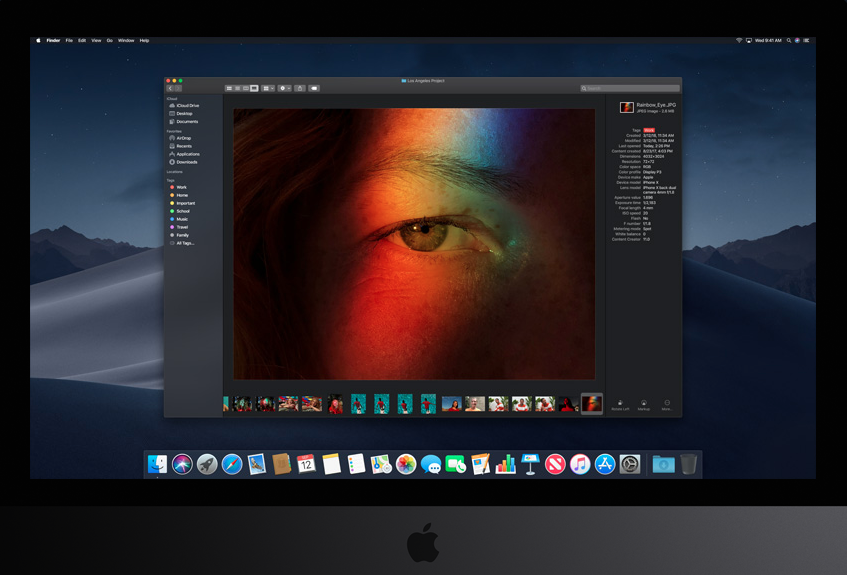
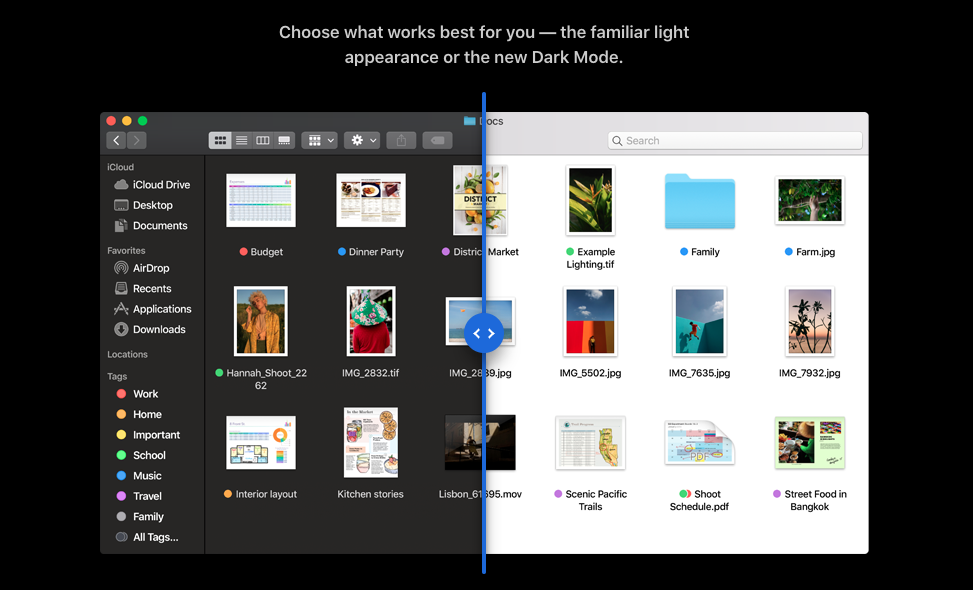
Dark Mode
Is everything getting a dark mode?!

Microsoft Outlook: How to turn on the new dark mode
READ NOWAnswer: yes. Everything is getting a dark mode, and it’s awesome! We already switched to Reddit’s dark mode, and we’ll almost certainly be switching to Apple’s version. It looks great and goes easier on the eyes than the stark white default. What more do we need to say?
Desktop Time Changes
Remember those interactive iPhone backgrounds? Mac’s receiving its own version: a desktop background that shifts depending on the time of day. If your job keeps you from the sun, this might help you reconnect with your circadian rhythm!
Also, it’s just plain beautiful:
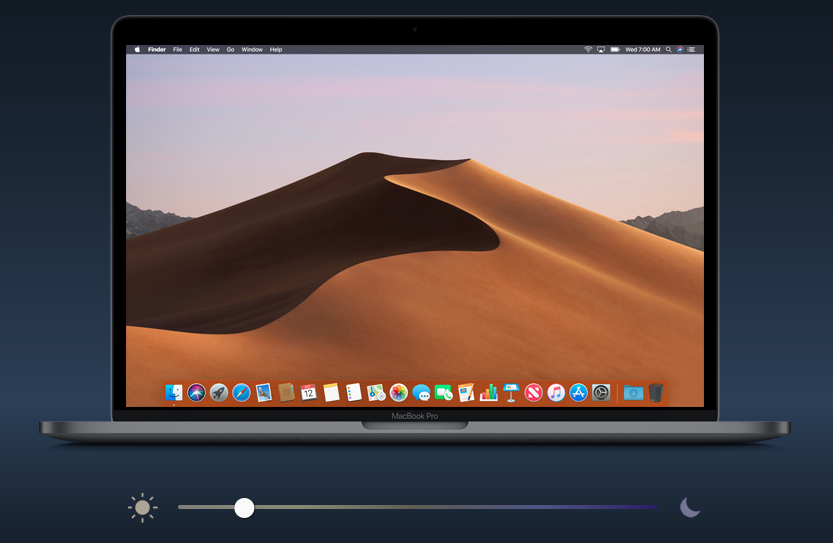
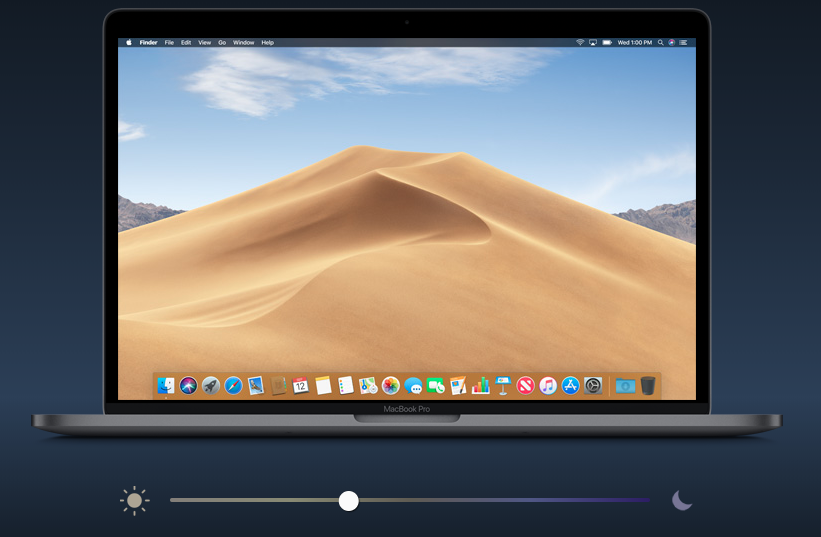
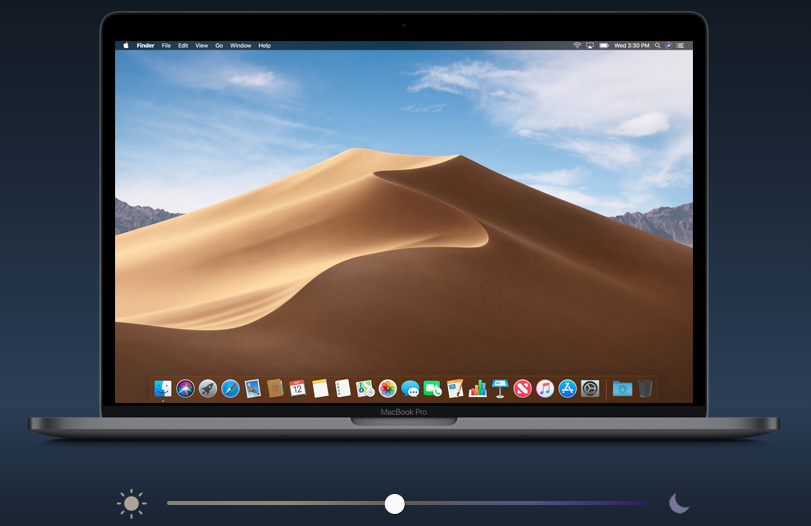
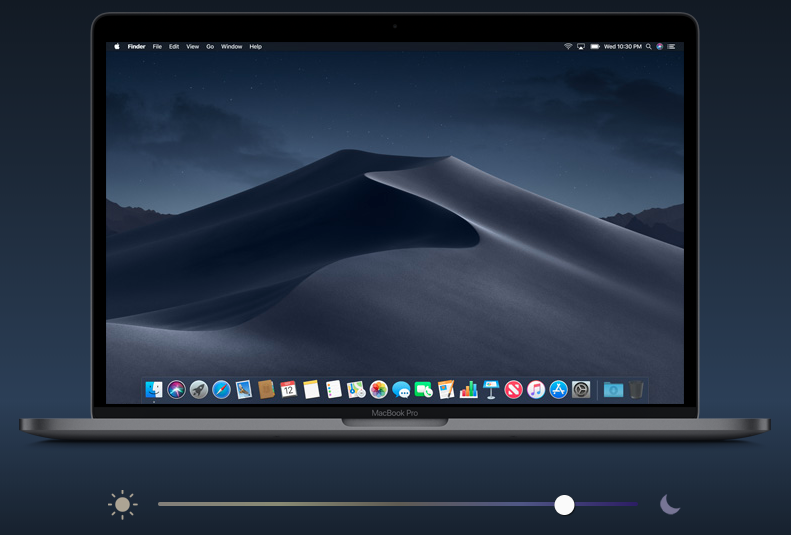
The real question is: will Apple allow users to create their own daily photo cycles? Since the changing desktop background is really a series of pictures that alternate at certain times of day, users could easily be given the option to make their own! How great would it be to have hourly anime heroes, cat pictures, or breathtaking cityscapes? Just imagine.
Stacks
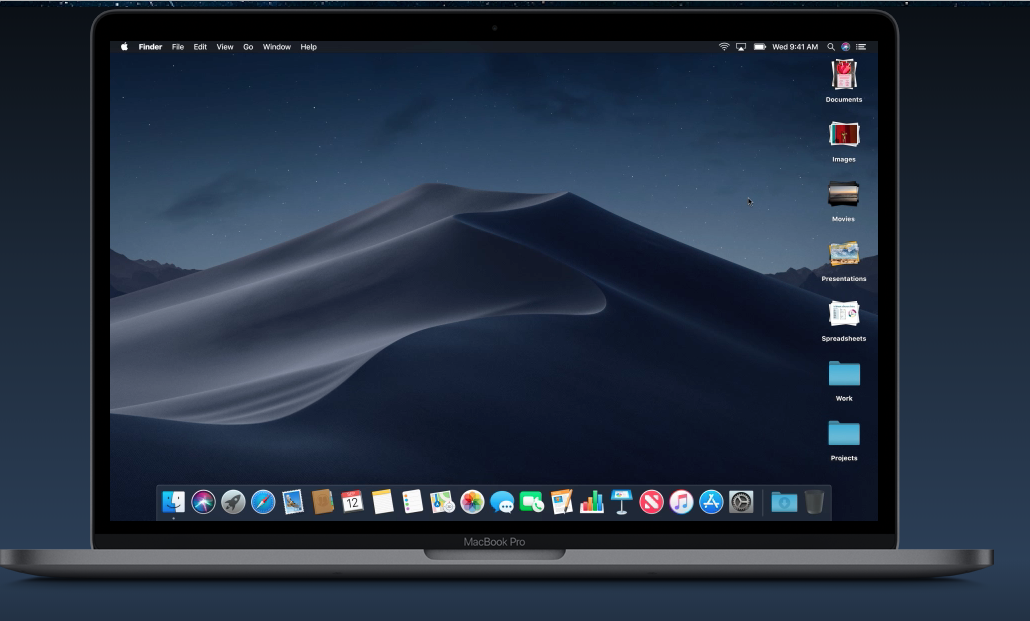
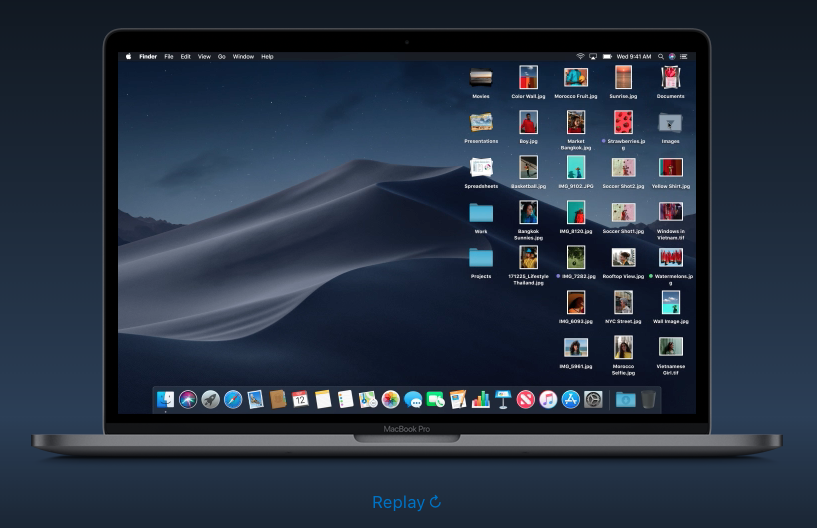
Remember how dragging iPhone apps to each other will create a folder? Stacks lets you do that, but with desktop files!
See below: the file stacks are gathered on the right. By clicking “images”, the files quickly expand outward, and then can be returned with a second click. By this process, you can better organize and retrieve files or folders without going directly to Finder!
Finder
Speaking of Finder… Mojave updates Finder with a few cool tricks:
1. Gallery View: search for files visually!
2. Quick Actions: make PDFs, rotate images, and more without opening any other apps (like our boi, Preview). Everything can be done in Finder.

3. Complete Metadata: choosing “info” didn’t give a file’s entire metadata on a file before. But soon it will! Also, you can choose to hide certain metadata to better access the information you really want to see.
4. Quick Look editing: with High Sierra, clicking a file and hitting spacebar, creates an overview of the file. With Mojave, you’ll be able to edit files from the Quick Look screen! A few examples of what that means:

Screenshots
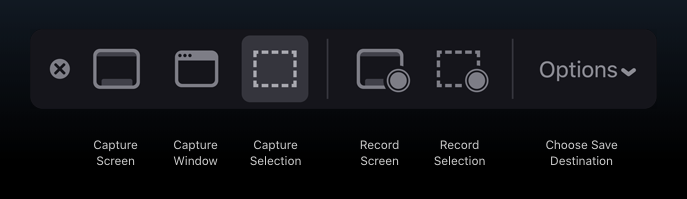
From here on, pressing Command-Shift-F5 will open a screenshot menu, from which you can choose any type of screenshot: whether full-screen, drag-and-release, or video. The new “Options” button will control details like the length of video recorded.
You may ask: are we excited to play with this option when it releases? Yes. Yes, we most certainly are.
Continuity Camera
With Mojave, iPhone pictures will be able to go straight to your laptop. In “Photos”, choosing “Insert a Photo” and linking your phone will send all pictures taken directly to the laptop. Apple even added an option to make auto-PDFS and align offset photos!
FaceTime
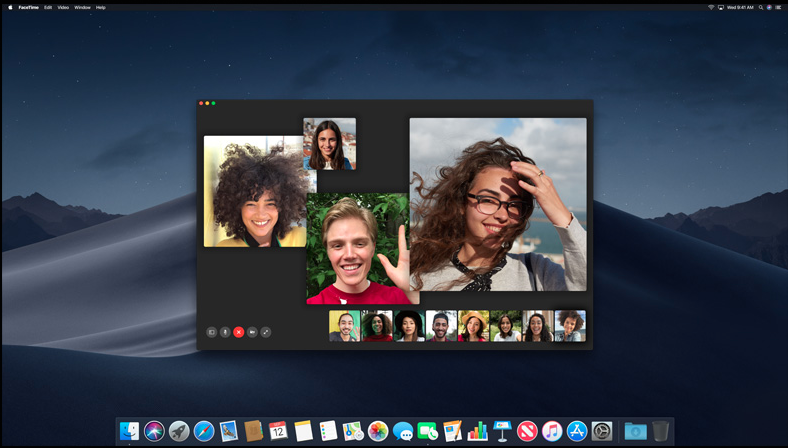
Mac will now allow FaceTime with 32 people at once. Thirty-two! That’s a 16x upgrade from the current limit of two people. Two.
That’s kind of a big difference, eh?
New Apps
Prepare yourself as News, Stocks, Home, and Voice Memos come to the Mac! You may recognize a few of these from the iPhone. In fact, like us, you may have wondered why they weren’t on your laptop as well.
Wonder no longer! The Devs have graced our earnest supplications:

App Store
Who doesn’t want a clean user interface while searching for new Mac apps?
Mojave also promises a fresh face to the App Store, which will feature new stories and articles. Even if you seldom visit the app store (and then only with a specific purpose in mind) the new editorial content may be a good reason to stick around and enjoy yourself for a while.
Privacy and Security
Finally, Apple’s new update also promises a boost to security!
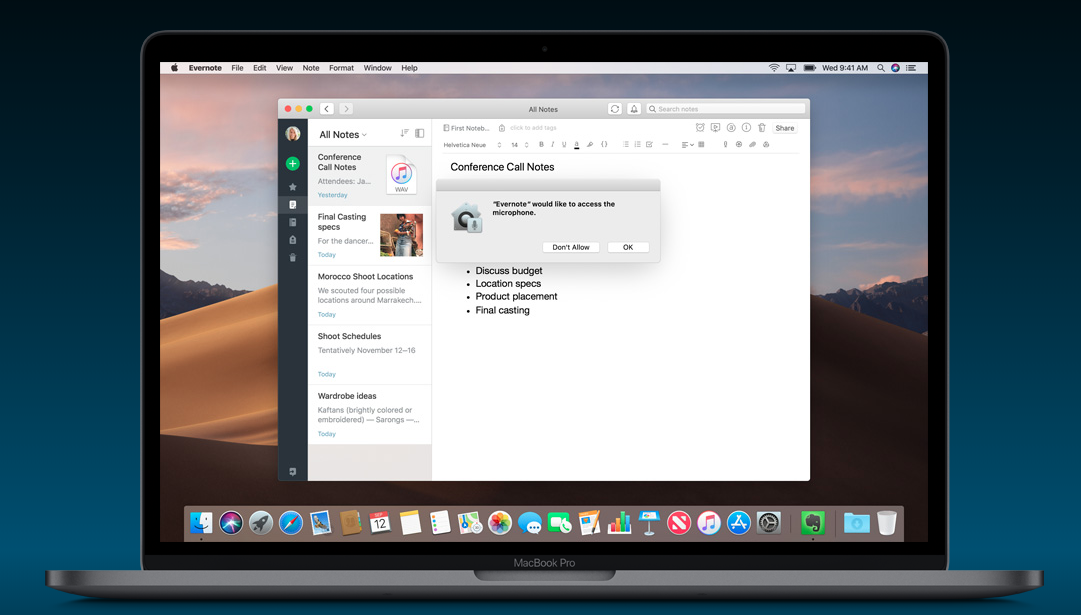
At this time, it’s unclear what exactly that means. However, the graphic they included shows an application requesting access to the microphone. It seems that, like the iPhone, Macs will no longer allow programs to automatically access certain data. Great!
Hopefully, this leads to increased safety!
Final Words
We hope these updates excite you as much as they excited us. Most aren’t passive; they’re active tools you can apply to make the Apple experience brighter… or refreshingly darker, in one particular case! There’s a little something for everyone in update Mojave.
Monday, September 24: save the date!