Editor's choice

4.5
37 reviews
Audio Recorder and Editor is a free audio application for mobile devices by developer rierie501. It's an audio recorder utility app that can help users record audio using their…
Update: Sep 7, 2026 · 75 apps reviewed
Audio cutter and joiner tools are built for quick, precise edits: trimming unwanted sections, splitting long recordings, and stitching clips into a single file. They are especially useful for podcasts, ringtones, voice memos, lectures, and music samples where speed matters more than a full studio timeline. The best options preserve sound quality, support common formats, and make it easy to set exact start and end points without guesswork. Useful extras include batch processing, fade controls, silence removal, and export settings that match your target device or platform.
37 reviews
Audio Recorder and Editor is a free audio application for mobile devices by developer rierie501. It's an audio recorder utility app that can help users record audio using their…
Choose Softonic on Google and you'll see more of our articles in Top Stories, AI Overviews and AI Mode.
1864 reviews
Additional Utilities
Processing Speed & Batch Support
Conversion Accuracy
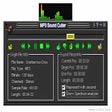
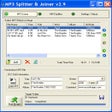
The tool keeps to two jobs: cutting a section from an MP3 and joining two clips into one file. I like the built-in control over quality, channels, and sample rate, but the dated interface, sparse instructions, and lack of deeper audio adjustments make it a narrow pick.
51 reviews
Conversion Accuracy
Processing Speed & Batch Support
Additional Utilities
The tool keeps audio splitting straightforward and preserves good sound quality, which makes it useful for quick trimming jobs. It feels limited, though, with few controls and not much beyond the basics.
163 reviews
Additional Utilities
Processing Speed & Batch Support
Conversion Accuracy
The editor keeps things narrowly focused on trimming, splitting, and joining MP3 or WAV files on Windows. It suits straightforward audio cleanup jobs, but the trial-only setup and limited format scope mean it serves a tighter workflow than broader audio conversion tools.
37 reviews
Additional Utilities
Processing Speed & Batch Support
Conversion Accuracy
The tool keeps its focus on the basics: splitting MP3s and joining tracks on Windows. It suits simple audio cleanup jobs, but the trial-version setup and narrow scope mean it is best when you only need straightforward editing rather than broader conversion features.
Additional Utilities
Conversion Accuracy
Processing Speed & Batch Support
The strongest part of Music Cutter is its focused trimming workflow: pick a section, save it, and turn it into a ringtone or notification sound without extra steps. I’d use it when I need a simple Android audio cutter rather than a full conversion suite.