Android (10000 programs)
Pros: Free tournaments. Intuitive interface. Single-player and multiplayer modes.
Cons: Not suitable for young players.
Pros: Easy and fun to use. Up to 100 available collage layouts. Allows freestyle editing. Supports up to 18 photos.
Cons: No advanced photo editing.
Pros: Stock images and label templates. Note function with stickers. Built-in browser. For students and professionals.
Cons: Error-ridden tutorial and FAQ. Thin selection of stickers.
Pros: Performs robust algebraic equations. Combines different open-source software. Ported with Embeddable Common Lisp.
Cons: Has not been updated in a long time.
Pros: Simple interface that’s easy to use. Allows users to manage their userscripts in one place.
Cons: Seems like a web browser but is actually not.
Pros: Easy to use. Range of features. Precision editing. Realistic results.
Cons: Not suitable for all photos.
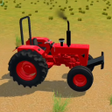
Pros: Simple controls. Different rural setting. Free-camera mode.
Cons: Low-quality graphics.
Pros: The Nextbots look like real-life celebrities. Comes with challenging puzzles.
Cons: Too many ads.
Pros: Optimized for digital signage and LED display animation. Timeline-based workflow supports stable playback.
Cons: Limited effects and creative depth compared to full motion graphics tools. Interface feels utilitarian and dated.
Pros: Minimalist game designs. Simple one-tap control. Visually marked scoring history.
Cons: Prone to minor lags.