Multimedia (10000 programs)
Pros: Live preview builds the exposure frame by frame on-screen. Post-capture editing switches modes and adjusts trail strength. Converts gallery videos into single long-exposure stills. Bulb mode supports manual, extended shutter durations.
Cons: Rendering speed and final quality depend on device performance. No dedicated audio mixing or external hardware integration features.
Pros: Hybrid input lets you use gallery photos, live camera, or text prompts. Includes creative templates for guided, repeatable styles. Integrated workflow switches between image- and text-based creation.
Cons: Available only on Android devices, limiting cross-platform use. Device compatibility depends on the Android version specified by the store. Templates steer output toward preset styles, which can reduce bespoke results.
Pros: One-tap creation that assembles photos, transitions, and music automatically. Template library updated with trending themes for social formats. Exports keep quality suitable for TikTok, Instagram Reels, and Shorts.
Cons: Limited manual timeline or multitrack audio controls. Template-driven output reduces granular editing options.
Pros: Episodes fit 60–120 seconds for quick, finishable viewing. Portrait-first playback with one-handed navigation optimizes mobile use. Instant Library and resume function preserve viewing progress. Data-conscious quick-load playback reduces buffering on cellular networks.
Cons: Requires an active internet connection for all streaming. Episode brevity limits extended character development. Format focuses on micro-dramas, not long-form storytelling.
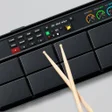
Pros: Zero-latency audio for responsive finger drumming. Supports simultaneous pad triggers for layered rhythms. Built-in recording captures live sessions on the device. Landscape layout increases pad touch area for performance.
Cons: Landscape-only design restricts use in portrait-oriented setups. Focused eight-pad scope lacks advanced multi-track mixing features.
Pros: Plays videos from direct URLs and M3U sources immediately. Full-screen support with standard play, pause, and seek controls. Lightweight installer and low resource usage on Android devices.
Cons: Includes advertisements in the free version. No built-in content library; you must supply links or playlists. Limited playback configuration and advanced settings.
Pros: Background playback that runs with the screen off. No registration required, quick start for seniors. Lyrics available for every song to sing along. Home-screen widget and lock-screen controls for quick access.
Cons: Requires an internet connection for streaming. Tailored primarily to middle-aged and senior Korean listeners.
Pros: Interactive Beat Lessons that teach timing and patterns. Multiple genre sound kits: Hip Hop, Trap, Electro, Lo-fi. Real-time filters and echo for live mixing during play. Customizable animated pad themes for visual feedback.
Cons: No advanced sample-import workflow for external audio files. Lacks a dedicated multitrack mixer for professional-level arrangement.
Pros: Combines try-on, style swap, and background removal in one workflow. Accepts camera capture or gallery upload, then saves to internal Image Gallery. Developer-declared no data collection and encrypted transit for privacy.
Cons: Performance depends on modern Android hardware for AI processing. Not positioned as a professional compositing or audio-visual editor. Advanced compositing controls are not described in the feature set.
Pros: Combines photo retouching and multi-track video editing in one app. AI templates and community library speed up project starts. Exports up to 4K at 60 fps for high-resolution output. Voice and music separation improves soundtrack control.
Cons: High system requirements limit performance on older Android devices. Many advanced AI tools and high-res exports require the Pro tier. Free-tier exports capped at 720p unless you use an unlock path.
Pros: Adjustable slider offers up to 100x digital zoom. Pro Mode exposes ISO, shutter speed, focus, and exposure controls. Built-in Color Lab and editor for real-time and post-capture adjustments. Supports high-definition photo and video capture with live preview.
Cons: 100x is digital zoom only; image clarity depends on device optics. Stabilization relies on timer and level indicator rather than optical stabilization. Manual controls require compatible hardware and Android versions.
Pros: Aggregates KBS, MBC, SBS and EBS into a single interface. Shows program schedules and live song selection lists. Background playback with lock screen media controls. No account required to start listening immediately.
Cons: Focused on live listening, not on production or editing tools. Requires Android for use; no other platform mentioned.
Pros: Automatic beat and section detection aligns visuals to the music. Supports MP3, WAV, M4A and audio extraction from camera-roll videos. Exports vertical 1080x1920 video at 60fps for short-form platforms. On-device rendering avoids external server processing.
Cons: No timeline or frame-level editing for precise adjustments. Limited audio mixing controls compared with multitrack editors. Design favors preset formats over fully custom visual pipelines.