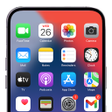
Personalization (10000 programs)
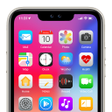
Pros: Clean iOS-inspired look. Sharp icons and HD wallpapers. Works with over 30 launchers.
Cons: Setup can confuse beginners. Higher battery use.
Pros: Floating overlay offers immediate in-match adjustments. Perceptible crosshair customization for visibility changes. Includes RAM and CPU monitoring inside the app. No root required; runs on Android 7.0 and up.
Cons: Optimized mainly for Free Fire and Free Fire MAX. Niche focus limits usefulness outside battle-royale titles. Privacy icon masking may not suit all launcher behaviors.
Pros: Visually captivating wallpapers. User-friendly interface. Real-time dynamic content updates. Easy customization.
Cons: Impact on your device's battery life.
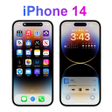
Pros: Stylish depth-effect wallpapers. 3D-like layered design. Live clock and date overlay.
Cons: Drains battery fast.
Pros: Downloadable launchers. Wallpapers for your home screen and lock screen. Easy to use.
Cons: No iPhone widgets.
Pros: Over 500 standalone glass widgets, no third-party engines required. Per-widget blur, refraction, tint, and transparency sliders. Supports both Home screen and Lock screen placement. Includes 600+ wallpapers matched to the widgets.
Cons: Advanced blur requires recent Android versions for full rendering. Real-time effects can increase GPU work on older devices.
Pros: Changes the look of your interface.
Cons: New icons may not apply to specific devices.
Pros: Great, high-quality iOS wallpapers. Easy to use and navigate. Supports most Android devices.
Cons: Occasional app crashes.
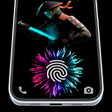
Pros: Selection of live animations from pop culture. Enhances the device’s lockscreen.
Cons: Drains battery life faster.
Pros: Comprehensive style update. Automatic prompt upon installation. One-click launch process.
Cons: Bookmarks are deleted when you uninstall the launcher.
Pros: Supports Zawgyi and Unicode conversion. Allows personalization. Two layouts in one keyboard. Theme-sharing through QR codes.
Cons: Random keyboard crashing.