
News
Android Auto is experiencing a lot of bugs and it's not your fault: can you fix it?

- March 31, 2026
- Updated: March 31, 2026 at 8:35 PM
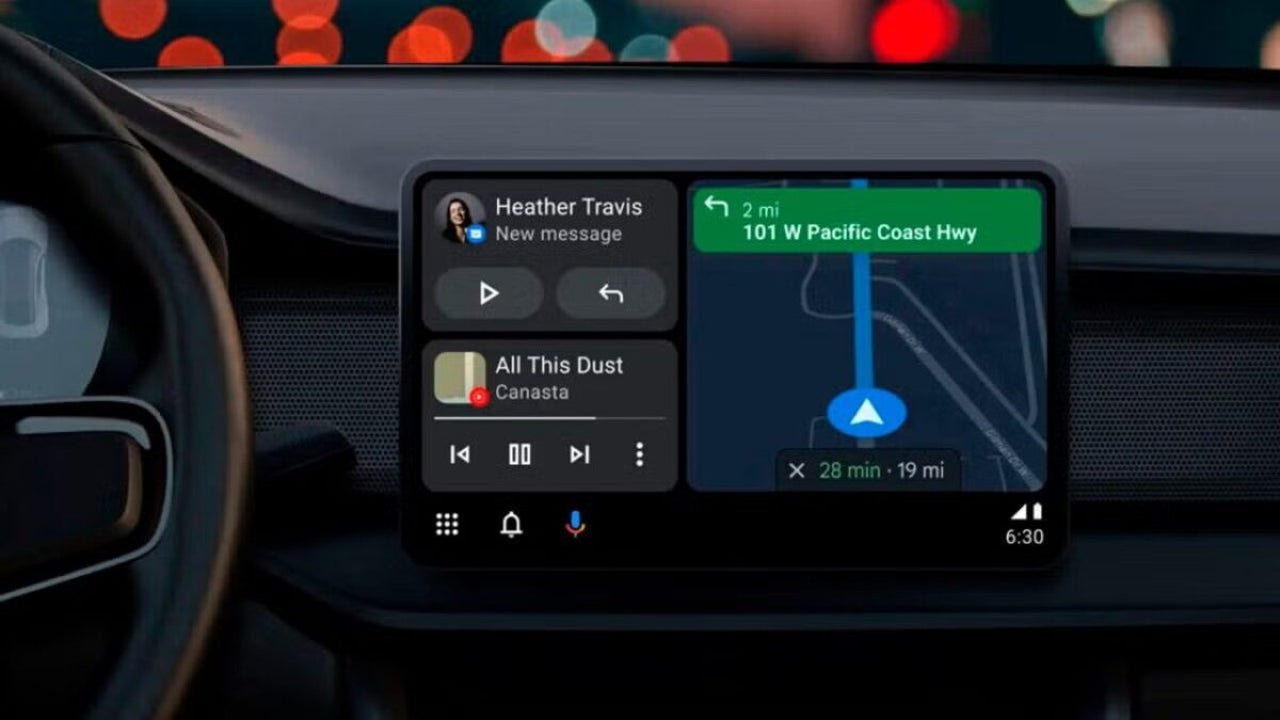
Android Auto users have reported that the cellular signal icon has disappeared from their screens after updating to version 16.5 of the app.
Although connectivity continues to operate smoothly, the lack of the icon has raised concerns among drivers, especially in areas with weak network coverage, where the absence of a visual indication can be critical.
Connectivity remains intact despite the disappearance of the icon in Android Auto
This issue has been highlighted by several users on forums like Reddit, who notice that, although the icon is no longer visible, data, call, and browsing services continue to function properly. Apparently, some users have found a temporary solution by reverting to version 16.3, which seems to restore the visibility of the lost icon.
Currently, there is no official confirmation from Google regarding this issue. However, considering the growing number of reports, a solution is expected to be developed soon.
There is speculation in the community that Google may be reviewing the user interface of Android Auto, which could explain the disappearance of the signal indicator. Although connectivity is not compromised, the absence of the icon creates uncertainty, especially for those traveling on less familiar routes.
Google has been working on improving Android Auto with new features, such as battery predictions for electric vehicles based on artificial intelligence in Google Maps, but this type of error highlights that the platform still has room for improvement.
Meanwhile, users are recommending that those facing this situation consider reverting to the previous version of the app as a temporary solution. Google is expected to address this issue in future updates.
Latest from Agencias
- You can now get these games for free on Steam, but you only have a few days to grab them
- Many accuse it of being a plagiarism of Pokémon, and its future right now hangs by a thread
- There is not much left for the return of the Spanish science fiction series that has been compared to Lost
- Tom Cruise will board the plane for the third time in one of his best franchises
You may also like
 News
NewsWhat comes after 'Super Mario Galaxy'? Five possible projects about the future of Nintendo in film
Read more
- News
Everyone thinks that 'Euphoria' is an original series, but in reality, it is just a remake
Read more
 News
NewsThe new Fable has specialists making the cutscenes: Blizzard Entertainment
Read more
 News
NewsEven a dachshund can play LOL, as long as it's with a magical cat
Read more
 News
NewsThe mayor of New York, Zohran Mamdani, has explained US policy in a way that everyone can understand: with Mario Kart
Read more
 News
NewsThe creators of Stranger Things are leaving Netflix to head to its most direct competitor
Read more