Free Always-On Display Apps for Custom Lock Screens | 3

Update: Sep 7, 2026 · 32 apps reviewed

Always-on display apps keep time, notifications and key status info visible without fully waking your phone. Free options vary from simple clock overlays to more customizable tools with AMOLED-friendly themes, notification previews and gesture controls. The best choices balance low battery use with clear readability, reliable background performance and enough styling options to match your lock screen. If you want a cleaner glance-at-a-glance setup, look for apps that stay stable after restarts, avoid intrusive ads and let you fine-tune brightness, layout and what stays on screen.

Chennon Kyle CK Santaren

Chennon Kyle CK Santaren

Tech & Lifestyle Writer

Tech and lifestyle writer with a sharp eye for digital trends, gaming gems, and productivity tools. CK draws on his e-commerce background to deliver concise, practical software recommendations.

Top programs about Always On Display Free

  • 4.7

    Always-on widgets with deep AMOLED personalization

    • Keeps clock, date, battery, and weather visible
    • Shows notifications, reminders, and calendar access
    • Adds music controls plus shortcuts for apps and contacts
    • Customizes fonts, vivid backgrounds, and widget toggles

    Ideal for

    • AMOLED lock screen setups
    • Hands-free phone shortcuts
    • Always-on glanceable displays
    • Visual Customization

      7 / 10
    • Widget Variety

      7 / 10
    • System Impact

      6 / 10
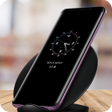
    The strongest part of this tool is how much it packs into an always-on screen without losing customization: clocks, battery, weather, music, and shortcuts all sit in one place. It does ask you to buy into a very widget-heavy lock screen style, so the appeal is strongest if you want constant at-a-glance information and visual control.
    Chennon Kyle CK Santaren
  • Choose Softonic on Google and you'll see more of our articles in Top Stories, AI Overviews and AI Mode.

  • 4.7

    Always-on notifications without touching your phone

    • Shows notifications on the screen at a glance
    • Displays time, date, and temperature
    • Uses Always on Display service for constant visibility
    • Simple setup with a clean, minimal interface

    Ideal for

    • Phone-at-a-glance checkers
    • Time and weather on screen
    • Pocket notification monitoring
    • System Impact

      6 / 10
    • Visual Customization

      5 / 10
    • Widget Variety

      4 / 10
    The app’s strength is constant visibility: it keeps notifications, time, date, and temperature on screen so you can check updates without waking the device. I like its straightforward setup for people who want a no-fuss always-on display, though the trade-off is that it focuses on basics rather than a broad widget library.
    Chennon Kyle CK Santaren
  • 4.7

    Always-on screen info without extra battery drain

    • Keeps your screen always on for quick glances
    • Shows time, date, temperature, and notifications
    • Designed for Android 4.4+ with background access
    • Aims to avoid extra battery drain while staying visible

    Ideal for

    • Android 4.4+ phones
    • Notification and time checks
    • Low-battery-awareness displays
    • System Impact

      7 / 10
    • Visual Customization

      5 / 10
    • Widget Variety

      4 / 10
    The appeal here is constant glanceable information without forcing you to wake the phone every time. It suits Android users who want always-visible time, date, weather, and alerts, but it depends on background permission and offers no sign of deep widget variety or heavy customization.
    Chennon Kyle CK Santaren
  • 4.7

    Minimal AMOLED display with custom colors and fonts

    • Shows time, date, notifications, and battery level
    • Keeps most of the screen black to save pixels
    • Custom fonts and colors for a more personal look
    • Works with most screen locks on many Android devices

    Ideal for

    • Android lock screen glance widgets
    • Minimal black-screen display style
    • Personalized notification styling
    • Visual Customization

      7 / 10
    • System Impact

      6 / 10
    • Widget Variety

      4 / 10
    The app leans hard into AMOLED-friendly minimalism, giving you glanceable time, alerts, and battery info with a dark screen that suits this subcategory well. I like the customization and broad device support, though the feature set stays focused on basic display widgets rather than deeper widget variety.
    Chennon Kyle CK Santaren
  • 4.7

    Always-on screen styling with notification control

    • Shows time, date, and notifications at a glance
    • Lets you pick which app alerts appear on the edge
    • Customizes screen and notification colors
    • Works as a nightlight with a clean, simple layout

    Ideal for

    • Android lock screen stylers
    • Nightstand clock setups
    • Edge notification displays
    • Visual Customization

      7 / 10
    • System Impact

      6 / 10
    • Widget Variety

      4 / 10
    The tool focuses on always-on display basics: time, date, and selected notifications, plus enough color control to match the look of your screen. It keeps setup light and avoids system-setting changes, but it stays narrow compared with fuller widget suites.
    Chennon Kyle CK Santaren
  • 4.7

    Always-on clocks and widgets for a locked screen

    • Shows time, date, and notifications on an off screen
    • Adds music controls without waking the phone
    • Includes HD wallpapers and custom watch faces
    • Keeps the display sleek on a black background

    Ideal for

    • Busy professionals
    • Phone screens with a dark aesthetic
    • Custom lock screen layouts
    • System Impact

      7 / 10
    • Visual Customization

      6 / 10
    • Widget Variety

      5 / 10
    The appeal here is constant glanceability: you get time, date, notifications, and music controls on a black always-on display without having to wake the phone. I’d weigh that convenience against the extra visual layer it adds, especially if you care about keeping your screen minimal and battery-conscious.
    Chennon Kyle CK Santaren
  • 4.7

    Always-on display control with smart brightness options

    • Timed keep-awake presets: 5, 15, 30 minutes or indefinite
    • AppWake rules keep the screen on in selected foreground apps
    • Dimmed Awake lowers brightness to reduce OLED strain
    • Tiny under-5MB installer with a modest memory footprint

    Ideal for

    • Students following step-by-step lessons
    • Developers watching debug output
    • Charging dock display control
    • System Impact

      4 / 10
    • Visual Customization

      4 / 10
    • Widget Variety

      3 / 10
    The app stands out for pairing persistent screen control with low overhead, plus automation that can follow specific apps or charging states. I’d trust it for long reference sessions, but the battery hit is real and per-app rules take setup, with results that can vary by Android build.
    Chennon Kyle CK Santaren
  • 4.7

    Keep the screen awake while charging

    • Always-on display mode for charging sessions
    • Keeps the screen lit on AC, USB, or Qi power
    • Runs in the background while you use other apps
    • Status notification shows when the mode is active

    Ideal for

    • Drivers using phone mounts
    • Weather-station dashboards
    • No-ads charging utility
    • System Impact

      7 / 10
    • Visual Customization

      3 / 10
    • Widget Variety

      3 / 10
    The tool stays focused on one job: keeping an Android screen awake during charging, with support for AC, USB, and Qi wireless power. I like the ad-free approach and the background operation, but its value is narrow and depends on your device model behaving well with always-on screen behavior.
    Chennon Kyle CK Santaren
Signed in to Softonic as