Free Always-On Display Apps for Android Screens

Update: Sep 7, 2026 · 104 apps reviewed

Always-on display apps keep the clock, date, notifications and battery status visible on your Android screen without fully waking the device. The best free options balance style with restraint: they should look sharp on OLED and AMOLED panels, use minimal power, and offer enough control over brightness, layout and notification previews. Good tools also avoid burn-in risks by shifting elements subtly and letting you fine-tune when the display activates. This topic is for users who want a glanceable lock-screen experience without paying for premium customization features. Explore top picks for Android.

Chennon Kyle CK Santaren

Chennon Kyle CK Santaren

Tech & Lifestyle Writer

Tech and lifestyle writer with a sharp eye for digital trends, gaming gems, and productivity tools. CK draws on his e-commerce background to deliver concise, practical software recommendations.

Top programs about Always On Display For Android Free

  • Editor's Choice
    5

    3 reviews

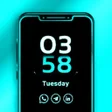
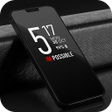
    Magazine-style lock screens with layered depth effects

    • True depth effects for a layered lock screen look
    • Smooth animations for lock screen and AOD transitions
    • Font, color, and clock style customization
    • 24-hour clock format and dynamic clock animation toggles

    Ideal for

    • Always-on display personalization
    • Homescreen aesthetic refreshes
    • Clock-heavy phone setups
    • Visual Customization

      8 / 10
    • System Impact

      4 / 10
    • Widget Variety

      4 / 10
    The layered depth effect and smooth AOD transitions give this tool a more polished feel than basic lock-screen widgets. I like the amount of visual control it offers, but the appeal is mainly aesthetic rather than broad widget variety or utility extras.
    Chennon Kyle CK Santaren
  • 3

    2 reviews

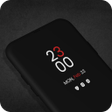
    Always-on lock screens with deep visual control

    • Custom clock styles, text styles, and backgrounds
    • Selective notification display for important alerts
    • Night mode lowers brightness in dark environments
    • Shows weather and calendar info on the lock screen

    Ideal for

    • Night-owl phone setup
    • Minimalist home screen fans
    • People who check reminders often
    • System Impact

      8 / 10
    • Visual Customization

      7 / 10
    • Widget Variety

      5 / 10
    The strongest part here is the mix of always-on information and visual control, especially the ability to tune clock styling and soften the display at night. It stays focused on lock-screen utility rather than heavy widget complexity, so the trade-off is a narrower toolkit than broader customization suites.
    Chennon Kyle CK Santaren
  • 4.3

    6 reviews

    Persistent cursor display with custom mouse styling

    • Keeps the cursor visible instead of auto-hiding
    • Adjusts cursor size and color for clearer tracking
    • Switches to an alternate button design for legibility
    • Adds mouse actions like dragging and swiping

    Ideal for

    • Tablet users with mouse peripherals
    • Cursor visibility after screen idle
    • Custom pointer styling on Android
    • Visual Customization

      6 / 10
    • System Impact

      4 / 10
    • Widget Variety

      3 / 10
    The tool solves a specific tablet annoyance by keeping the pointer visible and letting you tweak its look for easier tracking. Its extra mouse actions are useful, but the long gap without updates makes it feel frozen in place.
    Chennon Kyle CK Santaren
  • 5

    3 reviews

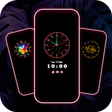
    AMOLED clock widgets with low-drain display styles

    • Analog, LED digital, and emoji clock styles
    • Calendar clock and picture clock layouts
    • AMOLED display support to reduce battery drain
    • Simple setup with widgets that stay visible

    Ideal for

    • AMOLED phone owners
    • Calendar-at-a-glance setups
    • Picture-based clock layouts
    • System Impact

      8 / 10
    • Widget Variety

      5 / 10
    • Visual Customization

      4 / 10
    The strongest point here is the low-drain always-on display approach, backed by a solid set of clock styles that suit AMOLED phones. I’d pass on it if you need deep customization or broader screen compatibility, but it does the basics reliably for a clean standby look.
    Chennon Kyle CK Santaren
  • 5

    4 reviews

    Lock-screen info with deep clock styling

    • Show time, date, alerts, missed calls, and song info
    • Choose digital, analog, world, or Edge clock styles
    • Customize colors, wallpapers, text, and brightness
    • Open widgets with a double tap for music, weather, and more

    Ideal for

    • Galaxy owners who live on the lock screen
    • Always-on music and weather checks
    • Memo pinning for reminders at a glance
    • Visual Customization

      8 / 10
    • Widget Variety

      6 / 10
    • System Impact

      4 / 10
    Samsung Always On Display turns the idle screen into a useful glance panel with strong clock variety, wallpaper and color controls, and tap-through widgets. I like the convenience, but OLED burn-in risk is the trade-off you have to accept if you keep static elements visible for long stretches.
    Chennon Kyle CK Santaren
  • 4.7

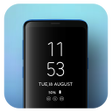
    Always-on clock faces with battery at a glance

    • Shows the current time and date on an off screen
    • Adds a battery level indicator to the always-on view
    • Switches between clock styles and built-in themes
    • Uses photo clock wallpaper for a more personal look

    Ideal for

    • Android phones with ambient displays
    • People who keep screens visible at night
    • Personalized lock screen setups
    • Visual Customization

      5 / 10
    • System Impact

      4 / 10
    • Widget Variety

      4 / 10
    The app focuses on a practical always-on display: time, date, battery, and a few visual themes without straying beyond the basics. I like it for Android users who want a personalized screen that stays readable, though the customization range is centered on clocks and wallpapers rather than a wider widget toolkit.
    Chennon Kyle CK Santaren
  • 5

    1 reviews

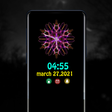
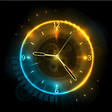
    Music-reactive edge lighting with customizable clock skins

    • Edge lighting reacts to songs in supported music apps
    • Clock widgets borrow looks from brands and skins
    • Color presets and a color wheel fine-tune the glow
    • AMOLED burn-in protection keeps moving elements active

    Ideal for

    • AMOLED lock screen styling
    • Music visualizer setups
    • Inspired clock widget fans
    • Visual Customization

      8 / 10
    • Widget Variety

      5 / 10
    • System Impact

      4 / 10
    The strongest part here is the mix of original clock widgets and highly customizable edge lighting, especially if you want your lock screen to react to music. The trade-off is clear: non-OLED devices can see noticeable battery drain, so this is best suited to AMOLED phones.
    Chennon Kyle CK Santaren
  • 4.7

    Always-on clock widgets with low battery impact

    • AMOLED-style always-on screen saver for at-a-glance info
    • Low system resource use to help limit battery drain
    • Clock styles include digital, emoji, calendar, timer, and quote
    • Text color customization for matching your screen look

    Ideal for

    • AMOLED lock screen displays
    • Battery-conscious phone owners
    • Custom clock style fans
    • System Impact

      8 / 10
    • Visual Customization

      7 / 10
    • Widget Variety

      5 / 10
    The low-resource design is the main draw here, especially if you want an always-on display without hammering battery life. Its clock variety and text color tweaks add enough visual control for a personalized lock-screen look, though some devices may need extra background setup to keep it running reliably.
    Chennon Kyle CK Santaren

Frequently asked questions (FAQs) about this topic

Do always-on display apps drain battery on Android?

Yes, but the impact varies a lot by screen type and app design. OLED and AMOLED panels usually use less power because dark pixels stay off, while LCD screens tend to consume more. The most efficient apps dim aggressively and update the screen only when needed.

Can free always-on display apps show notifications?

Many can show notification icons, message previews or app badges on the idle screen. The exact level of detail depends on Android permissions and the app's settings. Always check whether notification access is required before installing.

Are always-on display apps safe for AMOLED screens?

They can be, if they include burn-in protection. Look for features like pixel shifting, auto-dimming and scheduled sleep modes. Static bright elements left in one place for too long are what create the biggest risk.

Why does my always-on display disappear sometimes?

Many Android devices suspend these apps to save battery or when power-saving modes are active. Some phones also restrict background activity, which can stop the display from staying on reliably. Excluding the app from battery optimization often helps.
Signed in to Softonic as