Editor's choice

3.9
57 reviews
In the old days, screensavers were an absolute necessity. Nowadays, however, screensavers aren’t needed anymore because of the use of LCD monitors, but they’re…
Update: Sep 7, 2026 · 28 apps reviewed
Aquarium live wallpapers turn a Windows desktop into a moving underwater scene, with drifting fish, rippling light and soothing motion replacing a static background. The best options balance visual realism with light system use, so the animation feels relaxing without slowing down your PC or draining too much battery on a laptop. Some wallpapers are simple ambient loops, while others add interactive effects, multiple tank styles or custom settings for speed and color. Choose based on image quality, performance impact and how much control you want over the look and motion. Explore top picks for Windows.
57 reviews
In the old days, screensavers were an absolute necessity. Nowadays, however, screensavers aren’t needed anymore because of the use of LCD monitors, but they’re…
Get our latest tech news first, wherever you read.
70 reviews
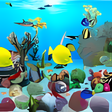
Looking at fish in aquariums has a very calming effect on a lot of people. For people like that, they will certainly appreciate this…
3 reviews
Dynamic Features
Image Quality & Variety
Personalization Options
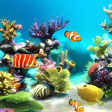
The standout here is the animated aquarium look, backed by sound and the option to use it as either a wallpaper or screensaver. It runs smoothly on Windows, but the experience is best suited to higher-end machines and people who want a marine-themed display rather than deep customization.
40 reviews
Arowana Deluxe Aquarium is an assortment of animated screensavers and wallpapers with different Arowana fish species as theme. Also called ‘dragon fish’, the species…
79 reviews
Personalization Options
Dynamic Features
Image Quality & Variety
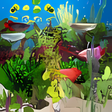
The tool delivers a soothing animated aquarium and lets you tune the fish, but it only gives you one background design and the movement feels limited. I’d use it for a calm desktop look, not for anyone expecting a rich wallpaper library or especially dynamic effects.
Turquoise is a cozy simulation game designed for Windows that invites players to create and nurture a vibrant marine ecosystem. Set in a protected…