Photo Gallery for Windows to Organize and Edit

Update: Sep 7, 2026 · 152 apps reviewed

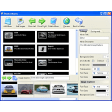
Photo gallery software for Windows helps you sort, browse, and lightly edit large image libraries without relying on a full creative suite. The strongest tools combine fast thumbnail navigation, tagging and search, basic retouching, and simple sharing or slideshow features in one clean interface. Some are built for quick fixes like cropping, color correction, and red-eye removal, while others focus on cataloging thousands of photos with folders, metadata, and duplicate detection. The best choice depends on whether you want a simple viewer, a home photo organizer, or a more capable editor that keeps everyday image management painless. Explore top picks for Windows.

Martin Francis Hernandez

Martin Francis Hernandez

Games & Software Reviewer

Passionate gamer and content writer, Martin specializes in video game reviews and software coverage across commercial, business, and multimedia applications. He helps readers navigate the digital landscape with confidence.

Top programs about Photo Gallery For Windows

Frequently asked questions (FAQs) about this topic

What should a good photo gallery app for Windows include?

A strong photo gallery app should load folders quickly, show clear thumbnails, and make it easy to browse by date or folder. Useful extras include tags, search, slideshow playback, and basic editing tools like crop and rotate. For larger libraries, duplicate detection and metadata support are especially helpful.

Can photo gallery software also edit images?

Many Windows gallery tools include light editing features, but they are usually meant for quick adjustments rather than advanced retouching. You can often crop, resize, rotate, adjust exposure, or remove red-eye. If you need layered editing or complex effects, a dedicated photo editor is a better fit.

How do I choose between a viewer and a photo manager?

Choose a viewer if you mainly want fast opening, browsing, and simple slideshows. Choose a photo manager if you need tagging, albums, search, and library organization across thousands of files. The more photos you have, the more valuable management features become.

Do Windows photo gallery tools support RAW files?

Some do, but RAW support is not universal. If you shoot in RAW, check whether the app can preview your camera's file format and whether it preserves the original file when you edit. Support for RAW often matters more than extra cosmetic features.
Signed in to Softonic as