Development & IT (594 programs)
Pros: Helps keep things running smooth. Saves time and energy. Keeps DerivedData within control. Helps recover lost storage space.
Cons: UI needs work. Menubar icon doesn’t look great. Needs a 64-bit processor. Updates don’t come through quickly enough.
Pros: Handy for flipping through your iTunes collection. Customisable colours.
Cons: Limited functionality.
Pros: Easy to use. Logging capabilities.
Cons: Staggers on larger projects. Can take time to work.
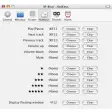
Pros: Adds hotkeys to iTunes. Makes controlling iTunes much easier.
Cons: Hotkeys cannot be configured easily.
Pros: Easy to use and understand. Provides options to manage resource usage. Catagorises services for easier reference. Allows the user to easily enable disabled processes.
Cons: Limited OS support. Allows users to disable system critical services. Context menus need an upgrade. Doesn't allow users to escalate admin rights in the app.
Pros: Many different customization options. See your results with real-time previews. Export four usable files including the app’s save file. Offers high quality simulations and doesn't restrict artistic flair.
Cons: It could use further functions for sequenced animations. Non-programmers will find this app useless. Looks great on phone screens but not laptop screens. Does not allow you to create layers.
Pros: Quick access to clippings. Works with any app. Autofill. History.
Cons: Can't customize time and date.