Multimedia (2160 programs)
Pros: Waveforms are displayed in a graphically rich format. A very user-friendly framework. Audio tracks can be imported from video files. Most major codecs are supported.
Cons: Exported file names cannot be specified. Splitting files can be complicated. Volume adjustments and fades are not exact. Many users feel that the merging options could be vastly simplified.
Pros: Hulu feature-complete. Well-made UI. Good colour choicse. Solid basic options.
Cons: Connection issues. Rarely updated. Slow on older devices. Minimal accessibility options.
Pros: It is possible to record audio files from a number of different sources.. A handful of basic editing tools are included..
Cons: The free version limits recording times to no more than 45 seconds.. Additional software may have to be downloaded from third-party websites..
Pros: Wide selection of instruments. Customizable key mapping. No MIDI instrument required. Alternative mouse interface.
Cons: Unintuitive default key mapping. Some odd instrument choices, such as a helicopter. Bare-bones visual presentation. Lacks more substantial features.
Pros: Permanently attaches subtitles to movies. Multiple video processing. Fast render time. Accepts all subtitle and movie file formats.
Cons: Subtitles cannot be edited after rendering. Cannot burn two subtitle files in a movie.
Pros: Drag-and-drop features allows batch conversion. Fast and lossless video extraction. Comes with built-in video editor. Supports a wide selection of formats.
Cons: Unintuitive interface. Frequently crashes when the video editor is used. Bug problems.
Pros: Great desktop Pandora client. Wireless streaming.
Cons: Limited to US and UK. Wireless service can crash. Messaging status updates limited to 3 IM clients.
Pros: Helps making flowcharts. Multiple smart connector styles. Supports export to multiple image formats. Quite intuitive.
Cons: Underdeveloped GUI. Not updated regularly enough. Button to modify background text doesn’t always work. Adding border to pictures could be complex.
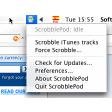
Pros: Menu icon. Disable iTunes scrobbling. Auto access to last.fm.
Cons: Connection to last.fm unstable.