Personalization (581 programs)
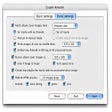
Pros: Choose edges to wrap around. Choose when to disable.
Cons: Performance drag bar not very precise.
Pros: Launch from menu bar. Zoom in anywhere. Hotkeys. Adjust zoom.
Cons: The Mac already has an easy zoom function.
Pros: Adds a function not available in Leopard. Easy to switch back to default. Now changes themes.
Cons: None.
Pros: Color picker.
Cons: No brightness and contrast controls.
Pros: Two pumpkin sizes. Flickering effect. Great Halloween theme.
Cons: Hogs CPU.
Pros: Can adjust parameters. Looks cool.
Cons: Installation is a bit tricky.
Pros: Easy to find what you need. Quickly preview fonts. Print list of fonts.
Cons: Can crash if you try to load too much fonts.
Pros: Simple and discreet interface. Change wallpaper according to time. Drag and drop. Comes with some wallpaper suite.
Cons: None.
Pros: Batman looks like he means business.
Cons: Gives nothing away about the new film.
Pros: It's Milla Jovavich.
Cons: It's Resident Evil.
Pros: Dozens of apps. Loads of themes. Docksnaps separates items.
Cons: Can't create new ones. Can crowd the Dock.
Pros: Add to current album or whole library. Search artist. Drag and drop.
Cons: Ad in center of interface.
Pros: Advanced exporting. Embeds to ID3 tag. Automatically exports artwork.
Cons: Limited number of name formats.
Pros: Makes your desktop look cool. Choose your screensaver.
Cons: Some text still in French. Limited to one action.