Photography (471 programs)
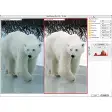
Pros: Easy to use. Preview.
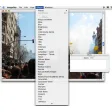
Pros: Lets you view the process in real-time. Customizable parameters. Comes with links to helpful tutorials. Supports various formats.
Cons: Outdated UI. Requires learning curve for beginners.
Pros: Very easy to use. Cool before and after displays. Huge collection of filters. Attractive app design.
Cons: Heavy emphasis on in-app purchases. Many filters are rather similar. Heavy on memory. Plagued with pop-up ads.
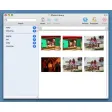
Pros: Integrates seamlessly with Apple Photos. Simple drag and drop functionality. Add text with choice of fonts. Access many preset themes and layouts.
Cons: Image editing functions are limited. Cannot open old Apple Photo projects. Limited selection of print types. No manual save option.
Pros: A great alternative to programs such as Photoshop. Only 3.8 megabytes of memory is needed. One of the easiest image editing programs to use. Many filters are available.
Cons: Not possible to create layers. Lesser-known formats might not be recognized. Perhaps too simplistic for some users. Only 64-bit processors are supported.