Productivity (1075 programs)
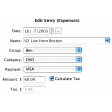
Pros: Sample entry to get started. Easy to set new entries.
Cons: Old interface.
Pros: Video calling. Matrix bridging.
Cons: Some setup required. Fairly austere.
Pros: Choose calendars to show. Select days to display. Resizable.
Cons: None.
Pros: Only 78.8 megabytes of space is required; significantly lower than other applications. Projects can be synced to other users. HTML reports are supported. Progress can be analyzed at any point.
Cons: 32-bit processors are not supported. Advanced functions require a one-time purchase. Unable to be shared with other users. Templates cannot be customized.
Pros: Great interface. Text comparison view. Easy to sync folders.
Cons: Can still be unstable.
Pros: Very stylish. Integrated with iCloud. Integrated with Daedalus on iOS. Useful preview tool. Exports to mutliple formats.
Cons: Lacks advanced editing features.
Pros: View duration live. Monitor by date.
Cons: Not easy to change time and dates. Can't reorder columns.
Pros: Can handle batch jobs. Regularly updated by developers. Results show in Spotlight search. Huge range of drivers.
Cons: Can struggle with small items. Tends to crash during long sessions. Struggles with mixed orientation. Some devices unsupported.
Pros: A very simple user interface.. Line thicknesses and signature angles can be adjusted as needed.. Numerous input methods are supported.. Easier to manipulate than some professional-grade applications..
Cons: The program has been known to freeze on occasion.. When in "Sign Mode", the cursor becomes invisible.. There are no preset signatures to choose from.. Images can only be saved as PNG files..
Pros: Drag text and images. Pyramid view.
Pros: Configure window look. Choose what elements appear.
Cons: Only a plug-in.
Pros: No configuration needed. User-friendly interface. Stores output in memory. Calendar events and reminders can be saved natively.
Cons: No multiple input modes. Output expressed in generic form. AM to PM must be manually changed. There are free apps offering the same service.
Pros: Free and open source. Safe secure and private.
Cons: Not webmail. Requires access to the computer it’s installed on.
Pros: Comes with great tutorials. Makes saving money very easy.
Cons: Takes time to get to grips with. Not free.
Pros: Undo-redo. Quickly view by month. Encrypt data. Includes major currencies.
Cons: Only monthly. Only one type of graph.