Personalization (2011 programs)
Pros: Over 40 HD wallpapers featuring GTA V characters and locations. Quick installation and automatic rotation setup. Lightweight and free to use. Faithful visual tribute to the series.
Cons: No sound, icon, or screensaver customization. Limited control over wallpaper selection. May not apply correctly on newer Windows versions. Purely cosmetic—no functional enhancements.
Pros: Fully packed with useful features. Personalize the tool’s performance to your preference. A free and open-source program.
Cons: White screens. Crashes.
Pros: Can make taskbars transparent. Can customize various states. Color picker. Affects Aero and Cortana.
Cons: Only for Windows 10. Crashes for some features frequently. Often needs to be restarted. Gets flagged as a malicious program.
Pros: Makes moving files easier. Can be used to create backups. Cross-platform support.
Cons: Limited compatibility.
Pros: Clean, minimalist flip-clock design. Highly visible even from a distance. Easy to install and configure. Lightweight and reliable performance.
Cons: Limited customization options. Occasional compatibility quirks on newer systems.
Pros: Free. Good collection of wallpapers. High-resolution wallpapers.
Cons: Some designs need improvement.
Pros: Portable. No installation. Easy to use. Can play any kind of audio.
Cons: Only accepts WAV. Needs admin rights for changes. No other features.
Pros: Highly customizable. Useful widgets and modules. Featured packed free version.
Cons: Slight learning curve.
Pros: High-resolution artwork. Broad device compatibility.
Cons: Lack of animated or live wallpapers.
Pros: Brightness range from 20% to 100%. Straightforward interface. Available in the System Tray.
Cons: Lacks customization features.
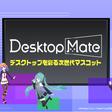
Pros: Lets you personalize your desktop with virtual characters. Makes work and study sessions more engaging. Continues to evolve with future updates.
Cons: Some content requires extra purchases.
Pros: Very easy to install. Colourful and detailed graphics. Comes with icons. Cool sound effects.
Cons: Can effect the speed of machines. Not many images to choose from. Requires a Zip compatible compressor. Comes with unwanted extras.
Pros: Adjustable speed and click location options. Custom hotkeys for quick access. Lightweight and easy to set up.
Cons: Raises fair play concerns in multiplayer gaming. Some claims of safety and performance may be overstated.
Pros: Can run Android apps and games on PC. Utilizes PC interface and keyboard shortcuts. A dedicated gaming feature. Three different versions.
Cons: Low-end PCs still sometimes can’t operate this. Not all PC software can run on this OS. Lags and causes screen to freeze.
Pros: Pick almost any color for your folders. Restore original color easily.
Cons: None so far.
Pros: Easy to use. Granular control over parameters. Dynamic Mode. Split Mode for Windows 10 users.
Cons: Dynamic Mode still needs more work.