
How To
Gmail on Android can now write your emails for you

- March 11, 2019
- Updated: July 2, 2025 at 5:15 AM
Google is constantly trying to save us time. The internet giant does this by trying to shave seconds off the common tasks we perform every day. With over 1.5 billion Gmail users, the email client offers Google a great way to do this.
We first brought you news of Gmail’s Smart Replies way back in July 2017. Now almost two years old, Smart Replies have been helping Gmail users write simple email responses by offering three possible answers based on the text in the email they’ve just received.
Then, back in May, Google first introduced Smart Compose to Gmail on desktop. Smart Compose is a much more contextually rich feature as it is there to help you write all your emails rather than simply offering possible responses. As you write your emails, Gmail is constantly trying to predict what you might be typing to offer you suggestions based on your email writing habits. This handy feature came to Google’s flagship Pixel 3 phone in October and now, the mobile roll-out of the Smart Compose feature has gone one step further.
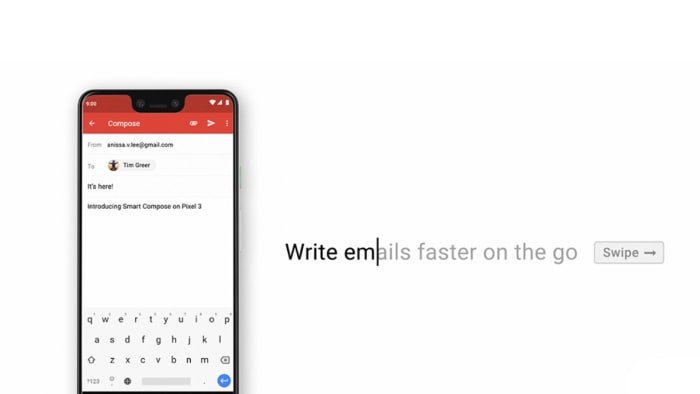
Gmail Smart Compose is now available on all Android devices
Smart Compose arrived on a select group of Android handsets; including the Pixel 2, OnePlus 6T, and Galaxy S9+, but the roll-out has now spread to all Android devices. If you have the Gmail app on your Android device, you should receive a message inside the app telling you that the feature is now active and showing you how to use it.
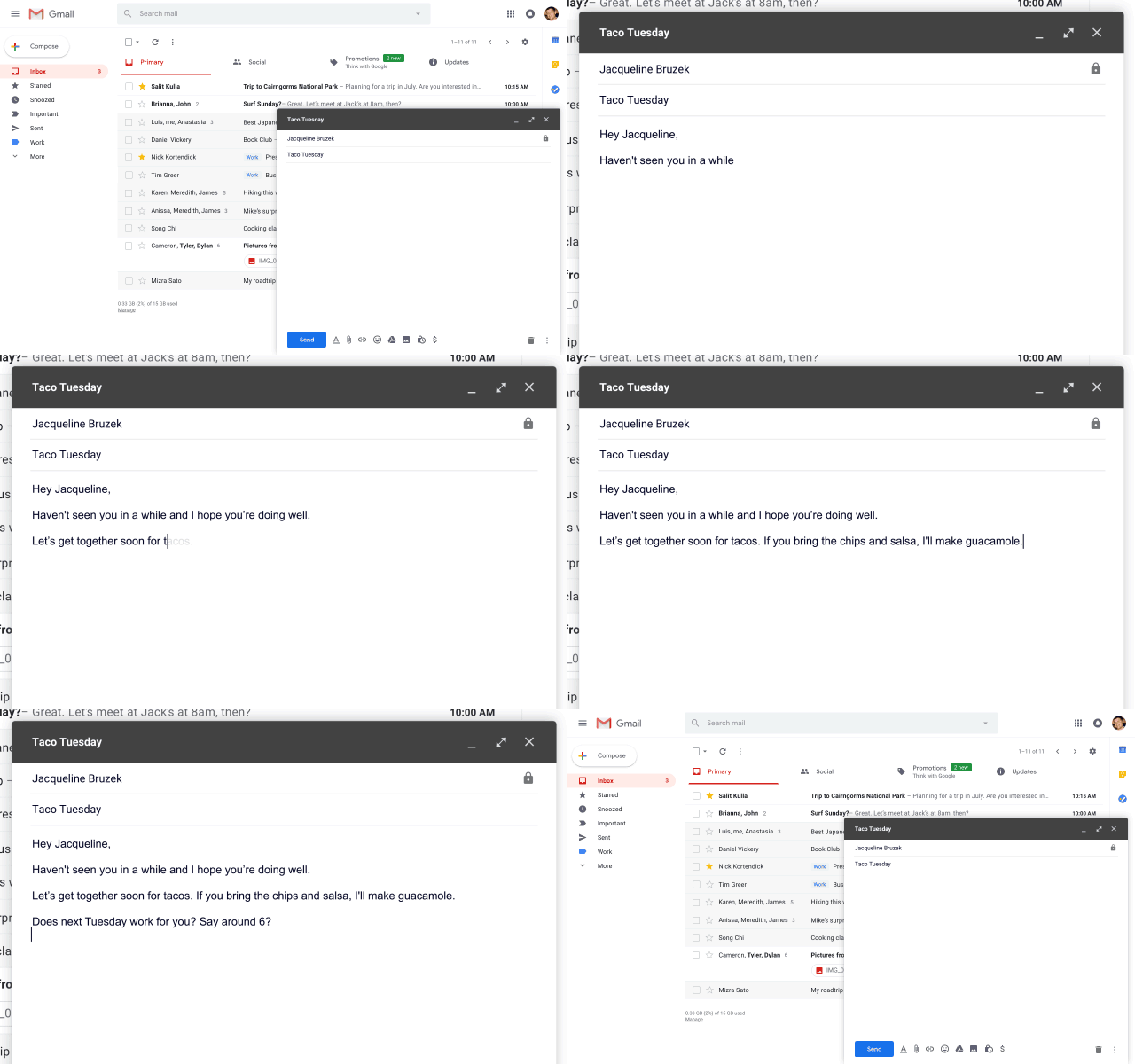
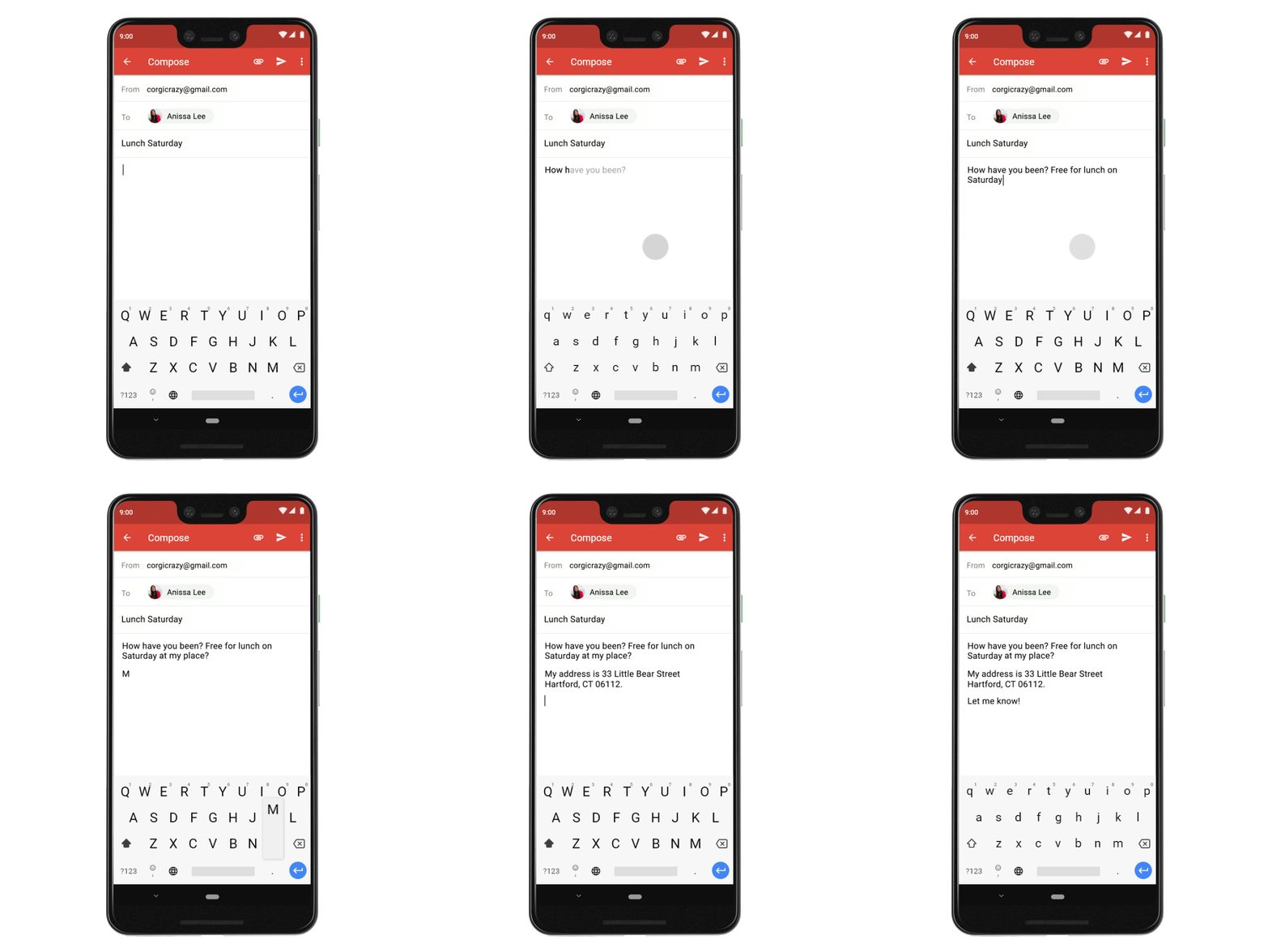
On desktop, the feature works by showing you the proposed text to complete your sentence and then gives you the option to press the Tab key or the right cursor key to fill in the words based on Gmail’s suggestion. On mobile, the principle is the same, it is just the execution that works a little differently. Whenever Gmail Smart Compose makes a suggestion you can accept it and include it in your email by swiping your finger right across the email you’re writing.
Features like Smart Replies and Smart Compose are two of the ways that Google is trying to leverage its huge AI advantage to boost its core products. AI, however, is not without its problems and Smart Replies has already seen its fair share of issues. It was only in November when Google had to pull gendered pronouns from Smart Compose as Gmail was making biased assumptions about which genders did which jobs.

What are the biggest threats associated with AI?
Read Now ►How to disable Gmail Smart Reply and Smart Compose
If the above problems put you off these new AI-based features or if you simply don’t want to use them, you can disable them. To do so all you have to do is open the Settings menu and then uncheck the boxes next to both features.

Gmail’s best new features
Read NowPatrick Devaney is a news reporter for Softonic, keeping readers up to date on everything affecting their favorite apps and programs. His beat includes social media apps and sites like Facebook, Instagram, Reddit, Twitter, YouTube, and Snapchat. Patrick also covers antivirus and security issues, web browsers, the full Google suite of apps and programs, and operating systems like Windows, iOS, and Android.
Latest from Patrick Devaney
You may also like
 News
NewsThe best 'Star Wars' series is one that we will never see. George Lucas planned more than 400 episodes
Read more
 News
NewsNo foreign series could pass the Iron Curtain… except the Muppets
Read more
 News
NewsBluey lives, the fight continues: Why Disney+ just released new mini-episodes even though they promised the series was over
Read more
 News
NewsThe critics are hating The Mandalorian and Grogu and that could mean the end of Star Wars
Read more
 News
NewsSony's new game is strange, creepy, and dodging literal bullet rains is incredibly fun
Read more
 News
NewsYoshi arrives on Switch 2 to cap off an outstanding first half of the year for Nintendo
Read more