
Article
Synchronize Firefox bookmarks across computers

- November 5, 2008
- Updated: July 2, 2025 at 9:26 AM
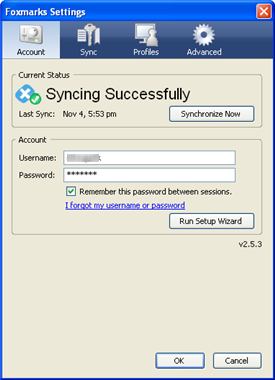 It wouldn’t be too daring to say that many Internet users have at least two computers. The most usual combinations are desktop and laptop, or home and school/office computer. With Firefox installed on each of these systems, how are we supposed to manage bookmarks across them?
The answer is Foxmarks Bookmark Synchronizer, a Firefox extension that syncs bookmarks between all your computers so that you can always have them at hand, whether you’re working with your laptop at home or you’re using your desktop PC at the office.
Foxmarks requires two important things: first, a free user account that can be created right after installation; second, it has to be installed on each computer where you want to have synced bookmarks. Once you meet these two simple requirements, you’re ready to create the first copy of your bookmarks and sync it later on with your other computers.
The best thing about this extension is that it keeps an eye on your bookmark collection, so that whenever you add a new link it automatically updates its copy with the changes and synchronizes all bookmarks across all your Firefox installations.
Oh, and for those concerned about privacy, don’t worry: Foxmarks Bookmark Synchronizer encrypts your bookmarks and also allows you to upload them to your own server for more security.
You may also like
 News
NewsLeonardo DiCaprio has never seen one of his most iconic movies
Read more
 News
NewsThe next game from the studio behind Expedition 33 will not be bigger
Read more
 News
NewsHideo Kojima is full of praise for the new Avatar movie
Read more
 News
NewsThe series of the season is a story of gay romance between ice hockey players
Read more
 News
NewsEpic Games Store is giving away one of the best detective games of all time
Read more
 News
NewsNeither Home Alone nor Die Hard: this Spanish film is the best Christmas movie in history
Read more