C Programming for Windows Tools and Compilers
Update: Sep 7, 2026 · 15 apps reviewed
C programming on Windows depends on the right mix of compilers, IDEs, debuggers and build tools. Some developers want a lightweight setup for learning syntax and testing small programs, while others need a full environment for native desktop apps, system utilities or cross-platform development. Good options make it easy to compile, run and debug code, but the best ones also handle libraries, project configuration and Windows-specific toolchains cleanly. When choosing, look at language standard support, debugger quality, package integration and how well the environment fits your workflow. Explore top picks for Windows.
Top programs about C Programming For Windows
- Editor's Choice4.1
270 reviews
Classic Turbo C++ tools running on modern Windows
- Runs the legacy IDE on 32-bit and 64-bit Windows
- Keeps the compiler, debugger, breakpoints, and tracing
- Uses emulation for steadier DOS-style execution
- Includes example programs for beginner practice
Ideal for
- Students following legacy curricula
- Windows 8 and newer PCs
- DOS-era C and C++ workflows
Performance Profile
6 / 10Execution speed, memory use, and fitness for different types of workloads.Toolchain Completeness
5 / 10Compiler/interpreter quality, package manager, and standard library breadth.Documentation & Learning Resources
4 / 10Official docs, tutorials, examples, and beginner-friendliness.
Turbo C++ brings the old Borland workflow back to modern Windows with emulation, preserved debugging tools, and built-in examples. I’d use it for classroom-style C and C++ learning or nostalgia projects, but the code adjustments, keyboard quirks, and lack of modern C++ support make it a poor fit for current development.
Chennon Kyle CK Santaren - 4
14164 reviews
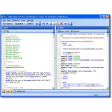
Lightweight C/C++ coding with built-in compile and debug
- Write, edit, debug, and compile in one workspace
- Integrated debugger for checking errors and conflicts
- Autocomplete and syntax highlighting for C/C++ code
- Low resource use that suits older PCs
Ideal for
- C and C++ beginners
- Older Windows PCs
- Offline classroom labs
Performance Profile
6 / 10Execution speed, memory use, and fitness for different types of workloads.Toolchain Completeness
5 / 10Compiler/interpreter quality, package manager, and standard library breadth.Documentation & Learning Resources
4 / 10Official docs, tutorials, examples, and beginner-friendliness.
Dev-C++ keeps C and C++ work in one lightweight package, with compile and debug tools that cover the basics well. Its dated interface and missing Mac support make it feel behind modern IDEs, but it still serves learners and anyone on older hardware.
Chennon Kyle CK Santaren - 5
5 reviews
C++ coding with MinGW compiler support
- MinGW compiler setup before you start coding
- Compile and run C++ projects from the IDE
- MS-DOS mode keeps finished programs open
- New Document opens a fresh file for editing
Ideal for
- C++ beginners on Windows
- Command-line compile tests
- Small local coding projects
Performance Profile
6 / 10Execution speed, memory use, and fitness for different types of workloads.Toolchain Completeness
5 / 10Compiler/interpreter quality, package manager, and standard library breadth.Documentation & Learning Resources
4 / 10Official docs, tutorials, examples, and beginner-friendliness.
The editor pairs a simple Windows IDE with MinGW setup, so you can get C++ code compiling and running without a heavy toolchain. I’d use it for small local projects and learning, but command-line workflows still need extra tools beyond the bundled setup.
Chennon Kyle CK Santaren - 4.2
Full C toolchain with modern Windows support
- Optimizing C compiler for C99 through C23
- Macro assembler and linker for full builds
- OpenMP and SIMD intrinsics for faster code
- IDE tools for debugging, projects, and resources
Ideal for
- Windows desktop developers
- 32-Bit and 64-bit builds
- Dialog and icon resource work
Performance Profile
8 / 10Execution speed, memory use, and fitness for different types of workloads.Toolchain Completeness
7 / 10Compiler/interpreter quality, package manager, and standard library breadth.Documentation & Learning Resources
5 / 10Official docs, tutorials, examples, and beginner-friendliness.
Pelles C brings a complete Windows-focused C toolchain, with an optimizing compiler, assembler, linker, and resource tools in one package. I’d rate it strongly for developers who want native app building and debugging in a single environment, though its appeal is narrower than broader multi-language platforms.
Chennon Kyle CK Santaren - 2.9
63 reviews
Fast Windows C++ builds with full toolchain support
- Compiles and links C/C++ code quickly on Windows
- Includes linker, librarian, headers, and STL support
- Covers Win32, Win16, DOS16, and DOS32 targets
- Ships with docs, tutorials, samples, and MicroEmacs
Ideal for
- Legacy Win16 and DOS targets
- C++ projects needing STL support
- Developers wanting bundled docs
Performance Profile
7 / 10Execution speed, memory use, and fitness for different types of workloads.Toolchain Completeness
6 / 10Compiler/interpreter quality, package manager, and standard library breadth.Documentation & Learning Resources
5 / 10Official docs, tutorials, examples, and beginner-friendliness.
The tool packs a surprisingly complete Windows C/C++ environment, with fast compile and link times, optimization, and a built-in editor plus documentation. Its main drawback is reach: it is not widely used, and library linking issues can still surface.
Chennon Kyle CK Santaren - 3.6
15 reviews
Three language courses with quizzes and full curricula
- Separate courses for C, C++, and C#
- Chapters cover a broad programming curriculum
- Built-in quizzes and tests for self-assessment
- Extra GoLearningBus courses bundled with access
Ideal for
- Self-paced programming learners
- Broad subject survey study
- Extra course library access
Documentation & Learning Resources
5 / 10Official docs, tutorials, examples, and beginner-friendliness.Performance Profile
4 / 10Execution speed, memory use, and fitness for different types of workloads.Toolchain Completeness
4 / 10Compiler/interpreter quality, package manager, and standard library breadth.
The app packs C, C++, and C# into one structured study path, with chapters, quizzes, and a broad curriculum that suits learners who want classroom-style coverage on a phone. Its weak spot is the dry presentation and tiny text, and the free tier barely covers the basics before pushing you toward the full course bundle.
Chennon Kyle CK Santaren