
Camera Apps for Windows 7 That Still Work Smoothly | 3

Update: Sep 7, 2026 · 124 apps reviewed

Camera apps for Windows 7 help older PCs capture photos, record video, scan documents and read QR codes without demanding modern hardware. The best options are lightweight, stable and compatible with built-in webcams or simple USB cameras, while also offering useful extras like filters, timers, motion detection or OCR. Because Windows 7 support is limited across newer software, choosing a reliable tool often means balancing features against performance and driver compatibility. Good picks make the camera feel responsive, save files in common formats and avoid unnecessary complexity for everyday use. Explore top picks for Windows.

Jay Ricson Biñas

Jay Ricson Biñas

Content Writer & Review Editor

Content writer and review editor covering video games, mobile apps, and software. Jay delivers clear, engaging reviews focused on features, performance, and real usability to help readers make informed decisions.

Top programs about Camera For Windows 7

  • 3.7

    61 reviews

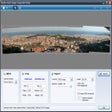
    Panoramas from photos, video frames, and huge grids

    • Automatic stitching aligns and blends multiple source images
    • Detects planar, cylindrical, or spherical panorama types
    • Removes lens vignette and crops to maximize image area
    • Exports to PNG, TIFF, JPEG, Deep Zoom, and PSD

    Ideal for

    • Landscape photographers
    • Gigapixel image projects
    • Photosynth publishing workflows
    • Capture Quality

      6 / 10
    • Speed & Reliability

      5 / 10
    • Camera Controls

      4 / 10
    Automatic alignment, panorama detection, and high-resolution stitching make this editor stand out for serious panoramic capture work. Its age and discontinued status are the trade-off, but the export range and support for massive image sets still give it real value for stitched-image workflows.
    Jay Ricson Biñas
  • Choose Softonic on Google and you'll see more of our articles in Top Stories, AI Overviews and AI Mode.

  • 4

    12 reviews

    TV-style snooker realism with pro-level match modes

    • True-to-life physics for realistic ball movement
    • Advanced AI that reads shots and tactics well
    • TV-style presentation with commentary and broadcast feel
    • Offline and online play across full snooker and 6-red modes

    Ideal for

    • Snooker fans chasing authenticity
    • Online tournament competitors
    • Offline match play at home
    • Camera Controls

      2 / 10
    • Capture Quality

      2 / 10
    • Speed & Reliability

      2 / 10
    True-to-life physics and advanced AI give this the most convincing feel in the lineup, and the TV-style presentation sells the broadcast atmosphere. It suits snooker fans who care about realism and tournament play, though the experience is firmly built around the sport rather than broad capture-style versatility.
    Jay Ricson Biñas
  • 3.9

    3485 reviews

    Cab-view farming with clear driving guidance

    • Switch between third-person and hitching camera views
    • Simple driving controls built around tractor dashboards
    • Mini-map and prompts keep farm jobs on track
    • Cleanly rendered fields make soil changes easy to spot

    Ideal for

    • Farm sim fans
    • Relaxed task-based play
    • Vehicle handling practice
    • Speed & Reliability

      4 / 10
    • Camera Controls

      3 / 10
    • Capture Quality

      3 / 10
    The strongest part here is the clear, guided farm workflow: the camera options, mini-map, and on-screen prompts keep each job readable as you drive John Deere equipment around the farm. It’s a straightforward tractor simulator, so the appeal is mainly in the realistic vehicles and varied tasks rather than depth or complexity.
    Jay Ricson Biñas
  • 3

    107 reviews

    DSLR booth control with instant print-ready layouts

    • Connects a DSLR camera to a computer and printer
    • Downloads shots from Canon and Nikon cameras
    • Merges multiple photos into 1, 2, or 4-pose layouts
    • Saves camera images and prints, then shares them online

    Ideal for

    • Event photographers running a photo booth
    • Canon and Nikon DSLR workflows
    • 4X6 and double-strip print setups
    • Speed & Reliability

      6 / 10
    • Capture Quality

      5 / 10
    • Camera Controls

      4 / 10
    The tool is built for fast photo booth setups: connect a compatible DSLR, print branded shots, and let the booth run with zero interaction after launch. Its trade-off is clear in camera capture work, since it cannot tweak photos or use a webcam, so it fits event printing more than hands-on image control.
    Jay Ricson Biñas
  • 3.5

    4 reviews

    Lightweight webcam capture for everyday recording

    • Record webcam and camera feeds with audio
    • Capture quick snapshots during recording sessions
    • Save recordings in AVI, MP4, and WMV formats
    • Schedule sessions with minimal setup and monitoring

    Ideal for

    • Home office demos
    • Mic-and-camera interviews
    • Scheduled surveillance clips
    • Speed & Reliability

      7 / 10
    • Capture Quality

      5 / 10
    • Camera Controls

      4 / 10
    The lightweight recorder keeps webcam capture focused on the basics: video, audio, snapshots, and simple scheduling without adding much system load. I’d recommend it for casual recording workflows where stability and fast saving matter more than high-resolution output or editing tools.
    Jay Ricson Biñas
  • 3.7

    86 reviews

    Turn your PC into a live IP camera for free

    • Streams a computer as a live IP camera
    • Sends motion alerts through push notifications
    • Supports viewing over 3G and 4G connections
    • Adds two-way talk with built-in mic and speaker

    Ideal for

    • Parents checking on sleeping children
    • Home monitoring from a smartphone
    • No extra camera hardware needed
    • Speed & Reliability

      6 / 10
    • Capture Quality

      5 / 10
    • Camera Controls

      4 / 10
    The big draw here is that it turns an ordinary computer into a live monitoring camera without buying extra hardware. I like the remote access and motion alerts, but the limited recording schedule and missing night vision make it a basic option for home watch duty rather than a full-featured security setup.
    Jay Ricson Biñas
  • 4.3

    10 reviews

    Storm photography with physics that actually matters

    • Photo scoring based on distance, focus, and debris
    • Realistic tornado, wind, and destruction physics
    • Single-player practice or symmetrical multiplayer matches
    • Upgradeable cars with radar gear for storm tracking

    Ideal for

    • Solo storm-chasing practice runs
    • 1V1 and team chase matches
    • High-spec PC simulation play
    • Capture Quality

      8 / 10
    • Camera Controls

      8 / 10
    • Speed & Reliability

      6 / 10
    The photography system is the standout here, with image scoring tied to distance, focus, and even debris in the frame. Its realistic weather physics and flexible multiplayer make it compelling, but the heavy system requirements will shut out lower-end PCs.
    Jay Ricson Biñas
  • 4.2

    259 reviews

    Stealth-first horror with no combat safety net

    • First-person survival horror perspective keeps tension high
    • Stealth movement includes sliding and going prone
    • Stamina bar adds pressure to every escape route
    • Single-player story follows Blake searching for Lynn

    Ideal for

    • Single-player story campaigns
    • Stealth-focused horror fans
    • PS4 action-horror sessions
    • Camera Controls

      2 / 10
    • Capture Quality

      2 / 10
    • Speed & Reliability

      2 / 10
    The game leans hard into stealth and suspense, with no combat fallback and a stamina system that keeps every escape feeling fragile. It suits players who want a tense, story-driven horror campaign, but it is not built for anyone expecting direct action or capture-style utility.
    Jay Ricson Biñas
Signed in to Softonic as