Editor's choice
3.4
1394 reviews
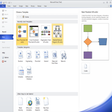
Microsoft Visio is a diagramming app for turning processes, systems, and org structures into reusable visuals. With Shape libraries and Dynamic connectors, it keeps…
Update: Sep 7, 2026 · 22 apps reviewed
Diagram software for Windows helps turn complex ideas into clear visuals, from flowcharts and network maps to floor plans and process diagrams. The strongest tools make it easy to connect shapes, standardise layouts and keep large projects readable as they grow. When choosing one, look at template quality, export options, collaboration features and how well it handles technical symbols or business charts. The best options balance speed for quick mockups with enough precision for polished documents, presentations and team planning. Explore top picks for Windows.
1394 reviews
Microsoft Visio is a diagramming app for turning processes, systems, and org structures into reusable visuals. With Shape libraries and Dynamic connectors, it keeps…
Get our latest tech news first, wherever you read.
671 reviews
Microsoft Visio is meant for designing and sharing diagrams like flowcharts, mind maps, organization charts, network diagrams, UML diagrams, floor plans, and other charts.…
QElectroTech is a free and open-source utility designed for creating electrical diagrams efficiently. Targeted at engineers, electricians, and students, this application provides a user-friendly…
1579 reviews
DFD is a tool that allows you to create quick and very simple flowcharts. Dragging arrows from one entry to another is very…
50 reviews
Dia for Windows is a free multimedia application designed for creating diagrams and flowcharts. It offers users a wide range of features including customizable…
4 reviews