DJ Effects Tools for Live Mixing and Sound Design | 2

Update: Sep 7, 2026 · 44 apps reviewed

DJ effects add motion, tension and texture to a mix, turning basic transitions into performance moments. The strongest tools give you fast access to filters, delays, reverbs, loops, scratches and stutters without getting in the way of beatmatching. When choosing software, look for low-latency response, clear waveform feedback, MIDI controller support and reliable sync with your decks or DAW. Good DJ effects software should feel musical rather than gimmicky, letting you shape energy in real time while keeping the crowd locked to the groove. It’s ideal for live sets, streaming and creative practice sessions.

Martin Francis Hernandez

Martin Francis Hernandez

Games & Software Reviewer

Passionate gamer and content writer, Martin specializes in video game reviews and software coverage across commercial, business, and multimedia applications. He helps readers navigate the digital landscape with confidence.

Top programs about Dj Effects

  • 4

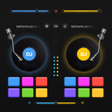
    Dual-deck mixing with pro effects and cue control

    • 2 virtual turntables with real crossfader control
    • Echo, chorus, reverb, reverse, and other effects
    • 10-band EQ with 18 presets plus 3-band gain control
    • Loop, hot cue, BPM sync, and MP3 mix recording

    Ideal for

    • Mobile DJs practicing set transitions
    • MP3 mix recording for local tracks
    • Scratch routines with HD capture
    • Editing Toolset

      7 / 10
    • Export & Workflow

      7 / 10
    • Recording Quality

      6 / 10
    The app leans hard into live-style mixing, with dual decks, a real crossfader, cue points, and a solid effects rack. I like it for mobile DJs and beginners who want hands-on control, but the focus stays on performance mixing rather than deeper multitrack editing or DAW-style production.
    Martin Francis Hernandez
  • 4.7

    Audio-reactive visuals with Ableton Link sync

    • Syncs visuals to live audio sources in real time
    • Connects to DJ software via Ableton Link Protocol
    • Layers clips, 3D models, Milkdrop, and GLSL shaders
    • Adjusts parameters for custom audio-reactive effects

    Ideal for

    • DJs running house parties
    • Live event visual performance
    • Custom video and shader collections
    • Editing Toolset

      4 / 10
    • Export & Workflow

      4 / 10
    • Recording Quality

      3 / 10
    The strength here is live VJing with minimal setup: it reacts to audio, links cleanly with DJ software, and lets you stack multiple visual sources without much fuss. It is less about deep audio production and more about fast, performance-ready visuals for DJs who want reliable output on Windows.
    Martin Francis Hernandez
  • 5

    1 reviews

    Built-in mixing and EQ for quick Android music tweaks

    • Mix and remix songs into new tracks on Android
    • Built-in music player for local audio files
    • Equalizer controls to adjust tone and volume
    • Sound effects for shaping bass-heavy mixes

    Ideal for

    • Android music hobbyists
    • Bass-focused remix projects
    • Local audio file playback
    • Editing Toolset

      4 / 10
    • Export & Workflow

      3 / 10
    • Recording Quality

      3 / 10
    The strongest part of this editor is its built-in player, equalizer, and effects in one Android app, so you can start shaping tracks without extra tools. It stays basic, though, with no sign of multitrack editing, export options, or recording features expected in fuller audio production software.
    Martin Francis Hernandez
  • 4

    Mobile DJ mixing with real crossfader control

    • Real crossfader for live-style song blending
    • Automatic BPM detection and tempo matching
    • Looping, cue points, and pitch/volume control
    • Built-in recorder plus Echo, Flanger, Crush, Gate

    Ideal for

    • Android party DJs
    • Home mix sessions
    • Recorded DJ sets
    • Editing Toolset

      6 / 10
    • Recording Quality

      5 / 10
    • Export & Workflow

      5 / 10
    The app leans hard into hands-on DJ mixing, with a real crossfader, BPM detection, and a built-in recorder that make it useful for sketching out party sets on a phone. I like the range of effects and tempo tools, but it stays closer to a mobile mixer than a full production environment.
    Martin Francis Hernandez
  • 4.7

    Stereo delay textures with MIDI control and recording

    • 32-bit DSP stereo delay with deep parameter control
    • Tape simulation adds noise, warble, and dub grit
    • Ping-pong, stereo detune, and dual-LFO modulation
    • MIDI control, background audio, and in-app recording

    Ideal for

    • Dub producers shaping echo trails
    • MIDI-mapped live effect setups
    • Audiobus and Inter-App Audio routing
    • Recording Quality

      8 / 10
    • Editing Toolset

      7 / 10
    • Export & Workflow

      6 / 10
    AUFX:Dub goes beyond a basic echo unit, with 32-bit processing, tape-style coloration, and modulation that can move from clean stereo delay to broken cassette character. I’d rate it highly for producers and sound designers who want a focused effect app with MIDI control, routing support, and direct recording built in.
    Martin Francis Hernandez
  • 3

    2 reviews

    Beat-mixing with loops, BPM detection, and live recording

    • Mix two songs at once from your SD card
    • Auto-detect BPM for tighter beat matching
    • Use loops, samples, and sound effects in sets
    • Record live mixes and support major audio formats

    Ideal for

    • Party DJs on a phone
    • SD card music libraries
    • Live mix recording
    • Editing Toolset

      7 / 10
    • Export & Workflow

      6 / 10
    • Recording Quality

      5 / 10
    The strongest part here is the mix-ready toolkit: dual-track playback, BPM detection, loops, and live recording give it real value for practice sets and party prep. I’d still treat it as a lightweight DJ mixer rather than a full production editor, but it covers the core workflow well.
    Martin Francis Hernandez
  • 4.8

    Touch-based remixing with synced DJ light effects

    • Mix and remix two songs by touching them together
    • Apply different effects to each channel separately
    • Use the equalizer to shape the sound before mixing
    • Switch between three lighting controllers for effects

    Ideal for

    • Android party DJs
    • Phone-based mix previews
    • Music playback with visuals
    • Editing Toolset

      5 / 10
    • Export & Workflow

      4 / 10
    • Recording Quality

      3 / 10
    The app stands out for pairing two-song remixing with built-in lighting controls, so it suits casual Android setups where sound and visuals need to move together. It stays lightweight and straightforward, but it is more of a playful live-mix tool than a deep audio editor with advanced production workflow.
    Martin Francis Hernandez
Signed in to Softonic as