Editor's choice
4.4
91 reviews
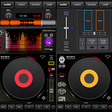
Made by professional DJs, this free app can be used by both hobby DJs and professionals alike. A fully equipped mixing table in your…
Update: Sep 7, 2026 · 166 apps reviewed
DJ mix software turns a laptop into a live mixing desk, letting you cue tracks, beatmatch, loop sections and shape transitions in real time. The strongest tools go beyond simple playback, adding waveform views, hot cues, effects, sampler pads and library management that keeps large music collections usable on stage. When choosing, look for low-latency audio, reliable hardware controller support, flexible routing and export options if you also record sets. Great DJ software balances speed, accuracy and creative control without getting in the way of the crowd.
91 reviews
Made by professional DJs, this free app can be used by both hobby DJs and professionals alike. A fully equipped mixing table in your…
Get our latest tech news first, wherever you read.
1798 reviews
Editing Toolset
Recording Quality
Export & Workflow
Serato DJ Pro delivers the kind of four-deck control, cueing, looping, and Stems workflow that serious live DJs rely on. I’d recommend it to performers who already have compatible hardware or a license, because the strongest features and extras sit behind that ecosystem.
206 reviews
DJ Name Mixer Advance is a free music app for mobile devices from developer DJNameMixer.net and is a DJ mixing app geared toward Indian…
169 reviews
DJ Mixer 2019 - 3D DJ App is a free music companion that can be easily accessed right at your hand and even on…
106 reviews
Fledgling DJs should start small — sound mixing equipment and software are not cheap, so free alternatives like Dj Name Mixer : Mix My…
29 reviews
Editing Toolset
Export & Workflow
Recording Quality
The strongest part here is the straightforward mixing toolkit: crossfading, looping, key lock, tempo sync, and BPM detection cover the basics without clutter. I’d recommend it to casual DJs and hobbyists who want clean transitions and SoundCloud access, but advanced effects and MIDI controller support sit behind in-app purchases.
13 reviews
DJ Music Mixer - Dj Remix Pro is a free multimedia app where you can remix your favorite song or create mashups of a…
30 reviews
Editing Toolset
Export & Workflow
Recording Quality
The editor brings a surprisingly full mixing toolkit, with equalizers, loops, BPM controls, pads, and built-in samples that let you shape tracks into something more original. I like the straightforward layout and professional-sounding results, but intermittent freezing can get in the way of longer sessions.