Folder Password Tools for Private File Protection
Update: Sep 7, 2026 · 77 apps reviewed
Folder password tools protect sensitive files by locking entire directories behind a password, encryption, or both. They are useful when you need to keep tax records, work documents, personal photos, or shared project files away from casual access on a local PC or portable drive. The best options combine strong encryption, simple recovery options, and support for different folder types without slowing down everyday use. Some are built for quick locking, while others focus on deeper privacy features such as hidden folders, secure vaults, and access logs. The right choice depends on how much security you need and how often you open those files.
Top programs about Folder Password
- 4.5
1049 reviews
Password locks with folder alerts and external drive support
- Password-protect offline folders with a single passcode
- Monitor folder activity for moves, edits, and deletions
- Lock folders on external hard drives too
- Tiny 6.15 MB install with minutes-long setup
Ideal for
- Shared-home PC protection
- External drive folder locking
- Activity alerts for sensitive files
Usability & Convenience
7 / 10Autofill, biometric unlock, browser extensions, and daily ease of use.Feature Breadth
4 / 10Password tools: generation, breach monitoring, secure notes, and 2FA management.Security Architecture
3 / 10Encryption approach, zero-knowledge design, and claimed audit history.
The folder monitoring and external-drive support give this tool a clear privacy angle for people hiding local files on a shared computer. The trade-off is that one password covers every folder, and the roughly £32 price sits high against similar protection tools.
Anthony John Padilla - 4
183 reviews
Double-password hiding for sensitive files and drives
- Creates a hidden partition for private documents and files
- Adds double password protection for extra access control
- Hides USB drives from casual discovery
- Uses drag-and-drop handling for fast file protection
Ideal for
- Home PC privacy protection
- USB drive concealment
- Double-lock access control
Usability & Convenience
6 / 10Autofill, biometric unlock, browser extensions, and daily ease of use.Feature Breadth
5 / 10Password tools: generation, breach monitoring, secure notes, and 2FA management.Security Architecture
4 / 10Encryption approach, zero-knowledge design, and claimed audit history.
The double-password layer is the standout here, especially if you want a second barrier after the main login. I like the hidden partition approach for sensitive files, but paid support and no external hard drive support limit how far it can go.
Anthony John Padilla - 4
9 reviews
SecretFolder is a simple way to achieve something that many of us wish our operating systems did more easily; create a private or hidden…
- 4.3
78 reviews
Free folder locking with disguise options
- Encrypt folders without hiding their contents
- Encrypt and mask data to keep it out of sight
- Protect files on USB flash drives and other portables
- Disguise folders with harmless names like Recycle Bin
Ideal for
- Home PCs with shared access
- USB drive protection on the go
- Disguised folders for casual privacy
Feature Breadth
6 / 10Password tools: generation, breach monitoring, secure notes, and 2FA management.Usability & Convenience
6 / 10Autofill, biometric unlock, browser extensions, and daily ease of use.Security Architecture
4 / 10Encryption approach, zero-knowledge design, and claimed audit history.
The free standard version gives you basic folder protection with a simple, no-frills workflow, and the disguise options add a practical layer for keeping private data out of sight. It does not cover smartphones, and older operating systems may not be supported.
Anthony John Padilla - 3.4
251 reviews
Password-locked folder hiding with minimal system overhead
- Locks a chosen folder behind a master password
- Hides the folder from the desktop after locking
- Uses open-source encryption for local folder protection
- Runs with very little memory overhead
Ideal for
- Local folder privacy on Windows
- Password-protected document storage
- Offline file concealment
Usability & Convenience
5 / 10Autofill, biometric unlock, browser extensions, and daily ease of use.Feature Breadth
3 / 10Password tools: generation, breach monitoring, secure notes, and 2FA management.Security Architecture
3 / 10Encryption approach, zero-knowledge design, and claimed audit history.
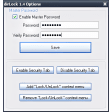
LocK-A-FoLdeR keeps the job narrowly focused: lock a folder, hide it from view, and reopen it with the same password. I’d only trust it on older Windows setups, since updates have stopped and newer versions are not supported.
Anthony John Padilla