Editor's choice

4.3
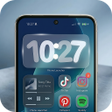
Glassy Widgets: Widget Icons is a free Android personalization app that enhances your home screen with beautifully designed glass-style widgets. Featuring a frosted glass…
Update: Sep 7, 2026 · 171 apps reviewed
Home screen customization apps reshape the first thing you see on your phone, turning a standard grid of icons into a faster, cleaner, or more personal workspace. The best options balance visual control with practical features such as gestures, icon packs, widget support, app hiding, and smooth performance. Some users want a minimalist layout with fewer distractions, while others prefer deep theme control, animated effects, or launcher-style shortcuts. Good choices should feel responsive, respect battery life, and make everyday navigation easier rather than more cluttered.
Glassy Widgets: Widget Icons is a free Android personalization app that enhances your home screen with beautifully designed glass-style widgets. Featuring a frosted glass…
Choose Softonic on Google and you'll see more of our articles in Top Stories, AI Overviews and AI Mode.
38 reviews
Customization Depth
Theme Variety
Performance & Stability
MIUI Launcher goes beyond basic theming with deep home screen control, gesture customization, and built-in app hiding and locking. I like the fluid animations and broad personalization, but the learning curve and occasional lag on older hardware can make it less consistent than simpler launchers.
OneUI 8.5 - icon pack, from Stellar_Studios, is an Android icon pack built around the rounded, uniform look associated with Samsung’s One UI design.…
Have you ever thought about how your phone's home screen looks? Maybe you're bored with the current wallpaper, or have a lot of apps…
15 reviews
Fast Launcher is an alternative home screen for Android devices that aims to provide a clean and focused user interface while enhancing the functionality…
Customization Depth
Performance & Stability
Theme Variety
The fluid widget system and dynamic resizing give this launcher a polished, highly controlled look that stands out in the launchers-and-themes crowd. I’d recommend it to Android users who care more about visual layout and motion than bare-bones speed, but the heavier widget activity can raise battery use and older devices may not run it as smoothly.
Simple Launcher is a free Android application designed to optimize and personalize your home screen experience. It features a clean and minimalist design that…
7 reviews
OneUI 7 KWGT is a widget pack designed to elevate the aesthetics of your Android home screen with a One UI-inspired design. This personalization…