Editor's choice

3.1
5 reviews
Metronome + is a free Windows software, that is part of the category Audio software with subcategory Music.
Update: Sep 7, 2026 · 9 apps reviewed
Metronome for Windows tools help musicians keep steady time while practicing scales, rhythms, and full pieces. The best options go beyond a simple click track, adding adjustable tempo ranges, accent patterns, subdivisions, visual cues, and sometimes tap-tempo or preset libraries. Some are ideal for solo rehearsal, while others support complex time signatures and tempo changes for more advanced practice sessions. When choosing one, look for clear timing controls, low CPU use, and a layout that stays readable during fast, focused work. Explore top picks for Windows.
5 reviews
Metronome + is a free Windows software, that is part of the category Audio software with subcategory Music.
Choose Softonic on Google and you'll see more of our articles in Top Stories, AI Overviews and AI Mode.
61 reviews
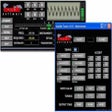
Fast&,Soft Metronome is a great, free software only available for Windows, belonging to the category Science & education software with subcategory Music.
147 reviews
Additional Utilities
Conversion Accuracy
Processing Speed & Batch Support
The tool’s main strength is its plain metronome workflow: it turns a Windows PC into a tempo guide through speakers or a MIDI device, with BPM control for tighter practice. I’d use it for rhythm drills and instrument study, not as a broader audio utility suite.
A trial version Science & education program for Windows
26 reviews
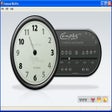
Flamenco Metronome Compas is a nice, trial version Windows program, that belongs to the category Science & education software with subcategory Music. …
Yames is a free, open-source desktop metronome designed for musicians seeking precision and versatility in their practice sessions. Featuring an always-on-top floating widget, it…
22 reviews
enable Tuner is a good, trial version program only available for Windows, being part of the category Science & education software with subcategory Music.…