Scientific Calculator Tools for Windows Users
Update: Sep 7, 2026 · 87 apps reviewed
Scientific calculator tools for Windows are built for far more than basic arithmetic. They handle trigonometry, logarithms, powers, fractions, constants and often unit conversion or equation history, making them useful for students, engineers and anyone who works with technical calculations. The best options balance a clear keypad layout with fast input, accurate results and support for advanced functions without turning the interface into clutter. Some are designed for quick desktop access, while others add graphing, programmable formulas or clipboard-friendly results for repetitive work. Explore top picks for Windows.
Top programs about Scientific Calculator For Windows
- Editor's Choice3.4
5 reviews
Power analysis with built-in effect size tools
- Power analysis for t, F, χ², z, and exact tests
- A priori, post hoc, sensitivity, and criterion modes
- Built-in effect size formulas and conventions
- Power curves and parameter tables with exportable output
Ideal for
- Researchers planning hypothesis tests
- Regression and ANOVA study design
- Power curves for grant proposals
Calculation Power
9 / 10Range of operations from basic arithmetic to scientific, graphing, and equations.Interface Clarity
8 / 10How intuitive and readable the interface is, including history and tape features.Versatility
6 / 10Breadth of conversion domains: units, currencies, dates, time zones, and data freshness.
G*Power stands out with structured power-analysis modules, effect-size helpers, and clear numeric and graph-based outputs. It’s a strong fit for researchers who need sample-size planning and statistical interpretation, but it doesn’t handle dataset import or direct data analysis.
Arlin Fabaliña - 3.1
267 reviews
Research-grade plotting with serious curve fitting
- Over 100 2D and 3D graph types for technical data
- Global Curve Fitting with 155+ built-in functions
- Worksheets scale to 32 million rows and 32,000 columns
- Macro recorder and Visual Basic-compatible scripting
Ideal for
- Academic researchers and lab scientists
- Large empirical datasets
- TIFF, EPS, PDF, and EMF figures
Calculation Power
9 / 10Range of operations from basic arithmetic to scientific, graphing, and equations.Interface Clarity
5 / 10How intuitive and readable the interface is, including history and tape features.Versatility
4 / 10Breadth of conversion domains: units, currencies, dates, time zones, and data freshness.
SigmaPlot brings serious plotting power to Windows-based research workflows, with broad chart support, large worksheet capacity, and curve fitting built for detailed analysis. The dated interface and setup/licensing friction mean it suits technical teams more than casual users, but its export and scripting tools make results easier to reproduce and share.
Arlin Fabaliña - 3
2 reviews
Basic arithmetic with scientific functions on your PC
- Handles addition, subtraction, multiplication, and division
- Adds logarithmic calculations beyond plain desktop basics
- Uses a calculator-style layout for familiar number entry
- Supports both mouse clicks and keyboard input for equations
Ideal for
- Students handling math homework
- Scientific calculator replacement
- Keyboard-and-mouse workflow
Calculation Power
5 / 10Range of operations from basic arithmetic to scientific, graphing, and equations.Interface Clarity
5 / 10How intuitive and readable the interface is, including history and tape features.Versatility
4 / 10Breadth of conversion domains: units, currencies, dates, time zones, and data freshness.
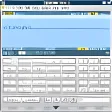
The tool covers everyday arithmetic and adds scientific functions like logarithms, so it goes beyond the calculator built into Windows. I’d be cautious, though: the clunky input flow, disappearing-after-close behavior, and installer extras make it hard to recommend without reservations.
Arlin Fabaliña - 4.9
Sequence analysis and phylogeny for molecular research
- Analyzes DNA and protein sequences at scale
- Runs sequence alignment for comparative studies
- Builds phylogenetic analyses from gene data
- Tests evolutionary models with statistical methods
Ideal for
- Bioinformatics labs
- Genome sequencing projects
- Evolutionary biology research
Interface Clarity
4 / 10How intuitive and readable the interface is, including history and tape features.Calculation Power
3 / 10Range of operations from basic arithmetic to scientific, graphing, and equations.Versatility
3 / 10Breadth of conversion domains: units, currencies, dates, time zones, and data freshness.
MEGA12 brings sequence alignment, phylogenetic analysis, and model testing into one free package for molecular evolutionary work. The trade-off is that its focus is specialized, so it suits researchers and bioinformaticians far better than general-purpose calculator or converter needs.
Arlin Fabaliña - 3.5
32 reviews
A free Windows calculator for everyday and scientific math
- Handles basic arithmetic and scientific calculations
- Supports equations for more advanced problem solving
- Keeps a readable history of past calculations
- Includes tape-style tracking for checking work
Ideal for
- Students checking homework steps
- Office work with calculation history
- Quick review of past equations
Interface Clarity
7 / 10How intuitive and readable the interface is, including history and tape features.Calculation Power
7 / 10Range of operations from basic arithmetic to scientific, graphing, and equations.Versatility
5 / 10Breadth of conversion domains: units, currencies, dates, time zones, and data freshness.
Calculator X8 for Windows 10 covers the core needs of the Calculators & Converters category with free basic and scientific math, plus history and tape features that make it easier to review work. It suits students and office users who want a straightforward calculator, though the source does not show broader conversion tools or advanced specialty functions.
Arlin Fabaliña - 4.8
Graph experimental data with free student-friendly tools
- Plot data from Vernier sensors into detailed graphs
- Analyze experimental trends with built-in graphing tools
- Create calculated columns in Graphical Analysis Pro
- Refine curves manually for deeper data interpretation
Ideal for
- Students in science labs
- Educators teaching data analysis
- Experimental sensor workflows
Calculation Power
7 / 10Range of operations from basic arithmetic to scientific, graphing, and equations.Interface Clarity
7 / 10How intuitive and readable the interface is, including history and tape features.Versatility
5 / 10Breadth of conversion domains: units, currencies, dates, time zones, and data freshness.
Vernier Graphical Analysis gives students a clear way to turn sensor readings into graphs and plots without paying for the core tools. The Pro upgrade adds data sharing, calculated columns, and manual curve fits, so it scales better for serious classroom analysis than a basic calculator or converter.
Arlin Fabaliña - 3.2
504 reviews
Pro-grade math solving with plots and interactive output
- Solves problems across nearly every branch of mathematics
- Creates customizable 2-D and 3-D plots and animations
- Handles math problems that are hard to do by hand
- Builds interactive applications you can share
Ideal for
- University math and engineering work
- 3-D plots for technical reports
- Shareable interactive classroom demos
Calculation Power
9 / 10Range of operations from basic arithmetic to scientific, graphing, and equations.Versatility
7 / 10Breadth of conversion domains: units, currencies, dates, time zones, and data freshness.Interface Clarity
4 / 10How intuitive and readable the interface is, including history and tape features.
Maple goes far beyond a basic calculator, with serious math-solving depth, plots, and interactive output that help you work through difficult problems faster. The trade-off is a steep learning curve and an academic price that feels too high, even though the single-user license does not expire.
Arlin Fabaliña