Editor's choice

2.8
287 reviews
HyperTerminal Private Edition (HTPE) by Hilgraeve is a Windows-based terminal emulation tool that enables users to connect systems through Dial-Up modems, COM ports, and…
Update: Sep 7, 2026 · 15 apps reviewed
Telnet for Windows tools help users open simple text-based connections to remote devices and servers. They are still useful for testing open ports, checking banner responses, and sending quick commands to network hardware when a lightweight connection is all you need. The best options are easy to launch, support custom ports and saved sessions, and make it simple to spot connection errors without extra clutter. For IT admins and advanced home users, the key is choosing a tool that balances speed, session control, and compatibility with older network equipment. Explore top picks for Windows.
287 reviews
HyperTerminal Private Edition (HTPE) by Hilgraeve is a Windows-based terminal emulation tool that enables users to connect systems through Dial-Up modems, COM ports, and…
Get our latest tech news first, wherever you read.
MobaXterm, developed by Mobatek, is a Windows remote-computing toolbox for IT administrators and developers. The app combines an enhanced terminal with session management to…
13 reviews
Troubleshooting Utility
Connection Management
Diagnostic Accuracy
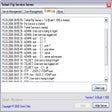
The standout here is the combination of Telnet and FTP service support with an administration console, which makes it useful for basic network access setups on Windows. It is a trial version, so I would treat it as a practical utility for testing or lightweight server work rather than a full production platform.
QtTermTCP is a free utility designed for Windows that enables users to remotely access a bpq32 node via the Internet. This tool is particularly…
CTerm, or Clever Terminal, is a free Windows client software designed for remote login through Telnet and SSH protocols. It offers a user-friendly interface…
TinyTERM is a lightweight terminal emulator designed to facilitate various communication protocols, including serial, telnet, ssh/scp/sftp, and netconf. With an executable size of less…