Audio (1531 programs)
Pros: Users can access Gaana for Windows 10 for free. The number of accessible songs is growing on a daily basis.
Cons: Older operating systems are not currently supported by Gaana. The last software update apparently took place in 2015.
Pros: Free and very lightweight. simple to use volume normalisation program. Completely lossless volume normalisation due to not altering mp3 encoding.
Cons: Program was last updated in 2009 and sadly looks abandoned. Stored volume analysis tags can sometimes conflict with mp3 players.
Pros: More than fifty different voices. Large selection of languages.
Cons: Have to sign up to use. No set up assistant.
Pros: Allows you to listen to international radio stations for free. It’s easy to install and use because it’s very basic.
Cons: A very basic piece of software. Only access a few radio stations per country.
Pros: This is a great option for beginners and novices with little experience.. Many professional filters are available at the click of a button..
Cons: This program does not offer more advanced audio editing options.. It is currently only available for personal computers..
Pros: There is no charge to download this software bundle.. A built-in audio normalization algorithm works automatically during the conversion..
Cons: There are very few additional editing options available.. It is not possible to convert CD files into other formats..
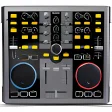
Pros: A full studio of tools in a smaller package. Arrange your Karaoke sessions more efficiently.
Cons: Only useful for people who fully understand DJ software already. It is not as easy to learn as their website marketing suggests.
Pros: Nokia Ovi Player is quite lightweight and still very functional.. User-friendly features are ideal for fast retrieval and quick load times..
Cons: Some feel that this software is somewhat outdated.. It is unable to support some of the more modern file types..
Pros: This bundle is very lightweight when compared to similar audio editing software.. The interface is easy to work with and will not require much experience.
Cons: There is currently no free version of this software. The last update apparently took place as far back as 2010.
Pros: A file size of only 728 megabytes is ideal for most operating systems. The controls and layout are very easy to understand.
Cons: The last update took place as far back as 2011. Not meant to be used with newer operating systems.
Pros: Seamless music transfer. Synchronize changes and settings. Set memory cues, loops, and hot cues. Analyze and edit beat grids.
Cons: Wired connection varies per device. Advanced features are not supported.
Pros: Stunning 3D spatial audio. Wide variety of compatible games. Support for major streaming platforms. User-friendly interface and customization.
Cons: Requires a paid license after trial.
Pros: Supports a number of formats. Exports to CD or audio player.
Cons: Outdated user-interface. Limited editing tools.
Pros: Simple to use. Great range of options.
Cons: No free trial. Lacks advanced editing power.
Pros: This PC video converter is capable of supporting all of the most common codecs. A 30-day guarantee is provided to the customer immediately after the download.
Cons: There is currently no free version of this software. It is not compatible with mobile devices.