Browsers (914 programs)
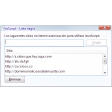
Pros: Very effective at blocking trackers. Stops targetted advertising. Provides detailed info about exactly what's blocked. Works on most major browsers. Simple to install and no configuration needed. Allows you to restore trackers that you need.
Cons: Not available for Opera yet. May not be able to block everything.
Pros: View your browsing activity across devices. Small size. Unobtrusive icon.
Cons: Requires a Microsoft account. Confusing to use at first. Log-in issues.
Pros: Easy to install. Useful. Open-source. Saves a lot of time.
Cons: Tends to crash. Moving items can be difficult.
Pros: Easy to install. Easy to switch between light and dark modes. Select supported websites and pages. Relaxing to the eyes.
Cons: Supports limited number of web pages and websites.
Pros: Has organizer tools such as Google Calendar and Google Keep. Simple and recognized symbols represent each service. Contains a total of 36 quick links to Google services. Run a Google search without visiting the Google home page.
Cons: A new tab is annoyingly opened after every update. You cannot choose which services appear first upon opening. The Google search window is not collapsible. The app itself was not created by Google.
Pros: Very easy to use. Packed with useful education features.
Cons: Students have to log into the site to access assignments. Cannot rearrange the video order.




.png)

.png)