Development & IT (2575 programs)
Pros: Makes FTP servers more accessible. Easy to setup. Supports secure connections.
Cons: May not work with all FTP servers.
Pros: Utilize mobile devices as VR headset. Compatible with Trinus Cardboard VR. VR adjustment options. Game settings for compatibility with VR games.
Cons: Only for PC gaming. Requires Trinus VR and a compatible mobile device. Requires 3rd Gen Intel CPU or above, enabled Intel Integrated Graphics Card, and VR-Ready discrete GPU. May have difficulty establishing connection between mobile devices and systems.
Pros: Supports many Samsung Galaxy devices.
Cons: Free version is only available as trial.
Pros: Dynamic Web TWAIN works in all mainstream browsers.. Dynamic .NET TWAIN supports loading images in BMP, JPEG, TIFF, PNG and PDF formats. . Supports uploading and downloading via HTTP(S) and FTP(S). . Supports editing scanned/loaded images in buffer before saving..
Pros: Intuitive interface. Reliable SQL editor. Works with a lot of databases. Easily runs SQL scripts with multiple SQL statements.
Cons: Lacks support for non-relational databases. Sometimes causes the system to hang.
Pros: There are a number of flexible pricing options. All content can be immediately pasted into a WordPress page.
Cons: Access to advanced tools will require a payment. This is no mobile version of this software.
Pros: Connect computers with a tree view. Leave apps running on one computer and use them with another. Removes much of the work of remote connection.
Cons: Amateurs and novice users will not be able to set this up. You have to arrange your own network security. The developers have made the technical manual very tricky.
Pros: Nice interface design. Creates backup copies, restores copies, clones drives. Easy to use and well documented. Free.
Cons: Basic knowledge about disk partitions required.
Pros: Accurate emulation of a wide range of TI Z80 calculators. Integrated debugger with memory/register inspection and stepping. Multi-instance and link simulation features. Screenshot / input logging support.
Cons: No support for TI’s non-Z80 calculator models (e.g. NSpire, TI-89). Documentation is partly community-driven or fragmented. Requires user to supply ROM images.
Pros: Remove unnecessary apps. Create more storage space. Supports third-party packages installation. Analyze system for problems.
Cons: No method to solve presented issues.
Pros: Auto log in function on known devices. Customise multiple Wi-Fi locations separately. No need to upgrade Wi-Fi hardware.
Cons: US dollar billing only.
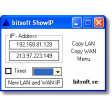
Pros: Quickly displays your local and external IP addresses. Easy-to-navigate menus. Lightweight and doesn’t take up too much resources.
Cons: Outdated interface. No advanced network management tools.
Pros: High-grade encryption. Can connect to multiple devices concurrently. Allows streams in up to 4K quality. Offers energy-saving measures.
Cons: Can be overwhelming to operate at first.
Pros: Quick and lightweight. Dual-pane layout. Script Error Detection.
Cons: No advanced features.
Pros: Users can quickly update their BIOS partitions when necessary.. This application will be updated concurrently with any BIOS upgrades..
Cons: This version is a bit technical in nature and not suited for novices.. It is unable to be configured to work with Windows 10..
Pros: Offers guided transfer workflows tailored to user needs. Supports selective migration of files, settings, and applications. Works with supported Windows PC environments. Flexible transfer options for diverse setups.
Cons: Specific pricing and edition differences can be confusing. Requires appropriate connection method for best performance. Not all third‑party applications migrate perfectly. Some options depend on purchase of specific editions.