Education & Reference (1201 programs)
Pros: Free to use on mobile. Supports various media types. Syncs with OneDrive/iCloud. Great for spaced repetition learning.
Cons: Desktop version requires purchase.
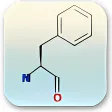
Pros: Illustrate chemical structures and other scientific diagrams. Provides helpful tools for drawing chemical structures. Easily label chemical processes. Import chemical diagrams.
Cons: Has complicated interface for non-chemistry users. Only draws chemical structures. May not be updated. Lacks any defining features.
Pros: Fosters collaboration between teachers, students, and parents. Simple, Facebook-inspired interface. Paperless assignments and grading system.
Cons: Limited customization for advanced classroom needs.
Pros: Easy to install. Does not distort audio recordings. Easy playback controls. Neat interface.
Cons: Outdated interface. Has no speech to text feature. Can only play M3 and WAV file formats. Bookmarks feature is not useful.
Pros: Queries can be pinned to the Start menu. Can compute math problems. View nutritional information and weather data.
Cons: No dark mode. Outdated information. Wrong information. Interface is not user-friendly.
Pros: Free to download and use. Five search engines supported.
Cons: Only available in English. Only works with Windows.
Pros: Fast and responsive. Lightweight and ad-free. Multi-document viewing.
Cons: No editing tools. No annotation tools.
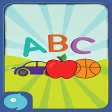
Pros: Easy and fun. Attractive colors and animation.
Cons: Pronounciation could be better. Numbers aren’t free to open.
Pros: As Piano Time for Windows 10 is free. it can be great for novices.. The keyboard layout as well as the background colors can be adjusted..
Cons: It is not possible to display the total number of keys.. Certain users have claimed that is is difficult to pause playback..