
Educational (125 programs)
Pros: Free to download. Child-friendly, distraction-free interface. Teaches both uppercase and lowercase letter tracing. With Teacher Mode.
Cons: Repetitive tracing and matching tasks.
Pros: Large cast of original characters. Bright and colourful graphics. Engaging storyline. Easy to play.
Cons: Can be sickeningly sweet. Can be completed very quickly. Not much replay value. Confusing to non-fans.
Pros: Over 6,800 questions ensure high replayability. Excellent 1-8 player couch co-op support. Fully voiced, animated, show-like experience. Customizable cosmetics and progression system.
Cons: Questions sometimes feel misaligned with the grade level. Skipping dialogue is slow and tedious. Bugs reported in the permanent record unlock system. Category becomes repetitive after early grades.
Pros: Intuitive control system.. Turn your own photos into jigsaws.. Daily Challenges provide new content every day..
Cons: Only available on Windows devices.. Contains in-app purchases..
Pros: Lots of games and puzzles. Educational. Versus mode.
Cons: Graphics could be better. Only suitable for very young kids. Opens in full-screen mode without quit option.
Pros: Free to download and use. Very easy to use.
Cons: Only available to Google Chrome Users. The speech output function needs a little work.
Pros: Ad-free and completely free to use. Simple controls tailored for preschoolers. Engaging visuals and rewards system. Encourages basic cognitive and motor skills.
Cons: No adjustable difficulty or progression system. Limited variety may not hold older kids’ attention.
Pros: Colorful graphics and upbeat sounds. With various levels to play. Serves as typing practice as well.
Cons: No other game modes are available.
Pros: Historical setting. Dramatic and engaging storyline.
Cons: Awkward puzzles. Somewhat muddy art style.
Pros: A great alternative for anyone who is a fan of Minecraft.. Users can add their code into the larger digital database..
Cons: Some have reported that many bugs are present during gameplay.. There is no information regarding customer support..
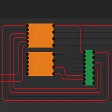
Pros: Neat and minimalist user interface. Uses click and drag system. Generates its own gates.
Cons: Lacks in-program tutorial. Requires knowledge of circuits and truth tables.
Pros: Simple as can be. Customizable. Endless fun.
Cons: Colours are somewhat garish.
Pros: Makes physics fun. Easy to use.
Cons: Does not support 3D objects.
Pros: Trackable achievements and learning progress statistics. Vibrant graphics and engaging quests. Supports various curriculums that align with Common Core Math Standards.
Cons: Limited features in the free version.
Pros: Completely free and colorful with engaging mini games. Multiple learning methods. Kid-safe and parent-friendly.
Cons: Some modes can feel repetitive. Might be too simple for older kids.
Pros: Engaging gameplay with quirky character designs. High replayability due to randomly generated characters. Light-hearted humor.
Cons: Basic graphics may not appeal to those seeking visual immersion.
Pros: Easy to use and beginner-friendly. Educational and mentally stimulating. Suitable for all ages.
Cons: Limited variety for advanced players. Can feel repetitive over long sessions.



.png)


.png)