Graphic & Design (840 programs)
Pros: Good alternative to Adobe Photoshop or GIMP. Easier to use than its main competitors. Image editing is layer-based. Support for unlimited 'undo' and 'redo'.
Cons: Less powerful than Adobe Photoshop. Not as many filters or brushes as its rivals. User-made plug-ins required for some effects. Dodge and burn tools are not fully reliable.
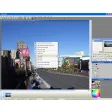
Pros: Supports layers and unlimited undo history. High performance with GPU acceleration. Extensive community-driven plugin library. Intuitive interface for various skill levels.
Cons: Steep learning curve for beginners. Minor transparency bugs in the Store version.
Pros: 15 different languages are currently supported. Licenses can be transferred between two separate computers. The Artisan Rendering package is offered at no extra cost. All licenses are associated with a lifetime guarantee. Very positive reviews. Different pricing according to your needs.
Cons: Free technical support is not provided for customization tools.
Pros: Add a printed time stamp to the bottom of your digital photographs. Process whole folders of pictures at one time.
Cons: While there is a 30 day free trial this software requires a paid license.
Pros: Imports from most major design apps. Features extensive tutorial.
Cons: Complicated to understand. Only imports models - does not create them.
Pros: Easy to use. Intuitive interface. Works with different image file formats. Lets you export or print the collage.
Cons: Doesn’t let you set photo angles. Application window isn’t resizable. Cannot choose which photos get prominently displayed. Customization options aren’t comprehensive enough.


.png)