Lifestyle (700 programs)
Pros: Substitute mouse navigation with camera gesture. Remove physical obstructions from hardware. Users with disabilities can navigate without mouse. Sets up easily once installed.
Cons: Lack of help. Requires a camera or wireless webcam. Requires good lighting to track head movement. May not work on other OS other than Windows and GNU/Linux. Doesn’t work with OS below Windows XP.
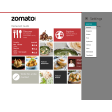
Pros: Wide selection of restaurants and bars. Simple layout. Easy to navigate and use. Determines your location and offers results accordingly.
Cons: Menu card do not always show up properly. Limited locations available. Large RAM consumption.
Pros: Design plays and save to your device. Available on both PC and mobile.
Cons: Paid app. Limited to basketball and no other sports.
Pros: Makes a wide range of VR games accessible. Compatible with Oculus Rift and SteamVR. Requires inexpensive setup.
Cons: Uses up battery charge very rapidly.
Pros: Contains a wealth of information about diet. Simple and easy UI.
Cons: Requires users to create an account. Requires users to share information.
Pros: A good range of different holes to play. Increasing challenges to master.
Cons: Not a serious golf simulation. Requires a fairly modern set-up.
Pros: Wide range of different races covered. Easy to download and install.
Cons: High price to pay for race results. Stats can be rather confusing.
Pros: Access to all NFL games. In depth articles to enjoy.
Cons: Emphasis on in-app purchases. Some features only for tablet users.
Pros: Simple to use. Handy recommendations.
Cons: Only works with Edge. Some bugs with adding tags.