Maps & GPS (15 programs)
Pros: Intuitive map interface with real-time joystick control. Supports GPX file import/export for custom routes. Effective for gaming, app testing, and privacy use. Works across both Android and iOS devices.
Cons: Full functionality requires a paid license. Requires Windows desktop for control. May conflict with app or game usage policies.
Pros: Effortless GPS manipulation. Multiple modes for natural location emulation. Joystick and keyboard support.
Cons: Risks violating terms of service in location-based games or apps.
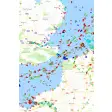
Pros: Global AIS coverage. Searchable vessel data. Helpful port insights. Fleet notifications available.
Cons: Advanced features are paid. Interface can clutter. Offshore updates slower. Higher battery usage.
Pros: Fast live ship tracking map plus a detailed vessel database. Useful port monitoring and alerts for ships and port events.
Cons: Key features like longer history sit behind subscriptions. Update cadence varies, especially offshore using satellite AIS.
Pros: User-friendly design. Versatile modes. Realistic simulation and adjustable movement speed. Enhanced customization.
Cons: Limited functionality on some apps.
Pros: No jailbreak or root required. Supports many GPS-based features. Built-in cooldown timer for safety. Simple and intuitive user interface. Ability to scan 2000 PokéStops and Gyms.
Cons: Requires a computer to function. Free trial has limited functionality.
Pros: Allows users to map up to 350 addresses. Lets you save your previously mapped routes. Optimizes your map to get the shortest and fastest route possible. Allows users to edit routes.
Cons: Importing the address takes time. Sometimes fail to recognize and locate addresses. Requires a working knowledge of Excel. Sometimes unable to plan route for farther locations.
Pros: Can view high-resolution images. Can be built with various programs. Has different image-sorting methods. Image-positioning control.
Cons: Images may get stuck buffering.
Pros: Easy-to-use interface. Customizable settings. Provides information about the item selected. Supports batch processing.
Cons: Interface looks bland. No intuitive controls. Eats up a good amount of system resources. May stutter during processing.
Pros: Informs of possible risks. Caters to all kinds of organizations. Gives tips about growing businesses. Gives advice to resolve an issue.
Cons: Not 100% accurate.
Pros: Easy setup and user-friendly interface. Multiple movement modes for flexibility. Useful for both gaming and privacy. No jailbreak or root required. Free trial available.
Cons: Some features locked behind a paywall. Potential risk in certain games. Occasional connectivity issues.







.png)