Multimedia (6071 programs)
Pros: Comprehensive disc burning options. Supports multiple disc formats. Advanced data verification and error protection. Multimedia and playlist management.
Cons: Limited to disc-focused tasks. No advanced video or audio editing. Requires modern optical drives for full functionality. Interface may appear complex for beginners.
Pros: Very easy to use. Process batch or single photos. Change file format. Pick size.
Cons: Looks old fashioned.
Pros: Has a small file size. Streamlined user interface. Lets you modify video characteristics like brightness and hue.
Cons: Access to all features will require the full, paid version. Some conversion file types don't work in the trial version.
Pros: Comes with sophisticated CAD viewing tools.. The program is free to download and use..
Cons: Only of use to people involved with computer-aided design.. Learning the full range of features will take time..
Pros: Very quick and lightweight application. Powerful FreeDB track look-up. Built-in cutting and joining tools.
Cons: Album look-up is sometimes inaccurate. A few small bugs reported by users.
Pros: Free HEVC/H.265 encoding and decodingFree HEVC/H.265 encoding and decoding. Supports HEVC Video Extension (HEVC-VE). No additional hardware required.
Cons: Performance may depend on system specifications.
Pros: Multiple filters and effects. Simple interface. Supports multiple file formats. No lags or crashes.
Cons: Watermark in free version.
Pros: Very low on system resources. Support for many audio and video formats. Supports subtitles. Includes equalizer and screenshot tool.
Cons: The interface may be too simple. Less feature-rich than competitors.
Pros: Powerful editing tools. Intuitive controls (after you've learned them). Imports levels and characters from your favorite Valve games.
Cons: Difficult learning curve. Requires good graphics card.
Pros: Wide format support. User-friendly interface. Snapshot feature.
Cons: Limited customization options.
Pros: Free to Use. Light on System Resource Usage. Easy to Embed Into Other Applications. High-Quality Video Output, Every Time.
Cons: The Mouse-Movement Triggered Controls Can Be Annoying. Familiarizing with How the App Works Takes Time.
Pros: Users can browse daily updated categories. User-friendly interface. Background music playback feature. HD playback.
Cons: Heavy reliance on YouTube. The presence of ads can be distracting for some players.
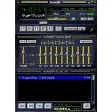
Pros: Customizable skins. Supports multiple media sources. Simple interface. Wide file format support. Lightweight.
Cons: Outdated esthetics. Lack of modern features.
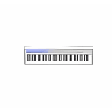
Pros: Easy installation. Uncomplicated interface. Good quality. Lots of virtual instruments supported.
Cons: Cannot display piano notes. Cannot adjust size of window. Cannot change keybindings. Cannot save output.
Pros: Assistant feature for presetting editing preferences. Mac and Windows support.
Cons: Not ideal for novice photo editors. No support for animation files.
Pros: Remote control of camera settings including ISO, aperture, and shutter speed. Direct image transfer and live-view support. Strong integration with Canon Digital Photo Professional. Stable and easy to install with official Canon support.
Cons: Canon-exclusive software, no cross-brand support. No built-in editing tools (requires DPP for adjustments). Wi-Fi transfers slower than USB connections.
Pros: Comes with built-in instruments. Supports the use of MIDI devices. Provides LADSPA plugin support.
Cons: Interface may appear complicated.