Multimedia (6071 programs)
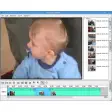
Pros: Tabbed interface. Nice timeline view. Anyone can use it.
Cons: Only 2 transitions and effects. Some elements of GUI are poorly placed.
Pros: Creates DVD's from multiple video formats. Creates ISO's to avoid copying huge files.
Cons: Doesn't seem to support certain formats.
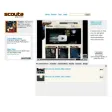
Pros: Allows you to filter media content. Recommends the best content from a range of sites. Easy to use, attractive interface.
Cons: Scouta community is still very small.
Pros: Very powerful - adds 3D effects to photo collections. Easy to use, label and rate your photos.
Cons: Still may be prone to bugs and errors. Doesn't have an easy uploader to internet.
Pros: Intuitive timeline editing enhances workflow efficiency. Supports OpenFX plug-ins and LUTs for creative flexibility. Hardware acceleration enables faster rendering. Broad set of tools for professional-grade editing.
Cons: Steep learning curve for inexperienced users. High hardware demands on large or complex projects.
Pros: Produces professional sketches and artwork. Renders powerful environmental effects.
Cons: Complicated to learn. Rendering is slow on older PCs.
Pros: Export EXIF data. Supports RAW data from all major camera makers.
Cons: Sorting your pictures using the data isn't as intuitive as it could be.
Pros: Thousands of styles to choose from. Updated with new styles. Allows you to add makeup too.
Cons: Doesn't offer 3D styling.
Pros: Good only for occasional resizing. You can select any size (no presets).
Cons: Watermark support. You can save settings.
Pros: Excellent re-enhancement of photos. Lots of re-touching tools.
Cons: Complicated for beginners.
Pros: Tag editing is very easy. Very complete reports.
Cons: Built-in player doesn't work. Interface may be a bit confusing.
Pros: Easy, fast way to get your photos online.
Cons: No customization options. Boring templates.
Pros: Lightweight. Lots of options. Auto extract feature. Tag formatting.
Cons: Confusing interface. Doesn’t play files. No CDDB support.