Networking (539 programs)
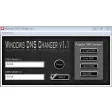
Pros: Four DNS servers to choose from. Change DNS with one click. No installation required.
Cons: No options. Improved design. Missing a DNS benchmark system.
Pros: Makes connecting to Bluetooth devices much easier. Works quietly and discreetly.
Pros: This software offers different licence types based upon individual needs.. All important metrics are monitored in a real-time scenario from a centralised and secure platform..
Cons: There is no free trial version available. The user will need to purchase a subscription.. The newer version (7.1) may include updates and fixes that are not specified to the user..
Pros: Quick install. Easy Interface. Not resource hungry. Beginner friendly.
Cons: May include other software upon install. No other customization options. No troubleshooting help. Limited functionality.
Cons: Few advanced options.
Pros: Monitors various different COM ports. Ability to monitor devices attached to ports. Great for troubleshooting. Usefull for diagnostics.
Cons: Only suited for use by advanced users. Reports can be difficult to understand at first. Resource intensive when in use. Getting to know your way around requires time.
Pros: Simple configuration. IP addressed correctly masked. Provides list of trusted devices and networks. Used to bypass regional restrictions.
Cons: You may have to install extra programs (Silverlight). Occasional disconnections.
Pros: Easy to configure. Allows you to block sites between various time periods. Allows you to configure password access to sites.
Cons: Will not stop you if you are determined to visit a site. No substitute for self discipline. Still allows Firefox to reveal your IP address to blocked sites.
Pros: Compatible with multiple locations and network providers.. An intuitive and easy-to-operate user interface..
Cons: The official website was apparently last updated as far back as 2009.. This system seems to only work for those who are travelling through or living in the United States..
Pros: Manage multiple internet cafe computers. Comes with HandyCafe Firewall v4. Consumes less resources. Provides several network services.
Cons: Not updated. Requires stable computers. Can be improved. Lacks visual appeal.
Pros: Auto log in function on known devices. Customise multiple Wi-Fi locations separately. No need to upgrade Wi-Fi hardware.
Cons: US dollar billing only.