Personalization (2010 programs)
Pros: Easy step-by-step interface. Use photos, music, video, animations and more. Creates EXE file you can share with anyone.
Cons: The preview function is a bit buggy.
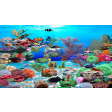
Pros: Beautiful visuals of a tropical reef serve as the aquarium's backdrop. Observe realistic fish without the effort and price of the real thing.
Cons: Struggles to stand out from a multitude of other desktop aquariums. Free to try, but expensive to keep if you like it.
Pros: Beautiful animations. Allows users to customize existing wallpapers. Wide selection of preset wallpapers. Wallpaper customization can be applied to a selected area.
Cons: Complicated interface. Few Dream screensaver available. Editing may change original image quality.
Pros: Rotates images automatically. Keeps desktop fresh.
Cons: Doesn't support many image formats.
Pros: Discrete and lightweight. Excellent karaoke mode. Works with many players.
Cons: Doesn’t always retrieve the correct lyrics.
Pros: Very original. Includes sound.
Cons: Only 1 dog breed available.