Personalization (2009 programs)
Pros: Great look. 25+ backgrounds. Bonus gadgets. Great Batman-inspired sounds.
Cons: Darkened resolution. Some icons blend into the background. Icons look too similar. Some backgrounds too 'busy'.
Pros: Ideal for Headlines, Captions, and Titles. Clean and Simple. Easy to Read.
Cons: Has Crazy Spacing and Bad Curves. Only Has Uppercase.
Pros: Not intrusive. Easy download. High-definition.
Cons: Too simple. No other uses.
Pros: More neat and organized look for Windows. Ability to arrange selected apps in Program Menu into categories. Instant access to frequently used folders. Switch between tasks effortlessly.
Cons: Not really elegant Windows interface.
Pros: Only 22 kilobytes of RAM will be required. All letters and numbers are available. An excellent way to create a unique text segment. Can be used with most common word processing programs.
Cons: Some computers may not recognise the .TTF file extension. Not all characters have been made available. Some letters may be slightly difficult to read. Enlarged font versions may appear to be a bit grainy.
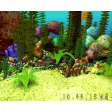
Pros: Easy to install. Smooth and detailed graphics. Cool sound effects. Comes with animated parts.
Cons: Only the trial is free. Takes up a lot of memory. The novelty wears off quickly. Rather limited in its scope.
Pros: Very easy to use. Thousands of fonts to select and edit.
Cons: A few bugs in the system. Not compatible with some platforms.
Pros: Personalized emojis. Easy to use. Can be resized. Can be used almost anywhere.
Cons: Can’t customize more of the clothing and emoji poses. Extension sometimes crashes. Have to sign in to website to change avatars.
Pros: Includes eye-catching new folder icons. Allows you to customize folder from context menu. Allows you to add new icons to library.
Cons: Changing icons from the interface can be tiring.