Personalization (2009 programs)
Pros: Authentic Japanese Character Design. Straightforward and Clean Look.
Cons: Limited Use. Not Ideal for Long Texts.
Pros: Choose from up to 15 different images. Change the system colours and sounds to match.
Cons: Available only to Windows users. Requires Windows 8 and up.
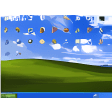
Pros: Gives XP a personal touch. Cycles through images.
Cons: Does not change resolution of large images to fit screen.
Pros: Beautiful landscape.
Cons: Too many animations could be distracting.
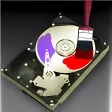
Pros: Allows you to identify drives more easily.
Cons: Requires restart after changes.