Personalization (2009 programs)
Pros: Unobtrusive personalization tool. Free-to-use. Supports hotkey. Change gamma settings much easier than the traditional way.
Cons: Binary file is outdated. Only supports older version of Windows.
Pros: Quickly change display resolution. Free, open-source and portable application. Minimal and straightforward interface. More resolution options offered.
Cons: Supports no hotkey combination.
Pros: Beautiful, high-resolution images. 12 viewpoints of the Earth. Continuously updates at regular intervals.
Cons: No custom resolution support. Unable to save images.
Pros: Livelier wallpapers. Simple user interface. Highly customizable. Completely free.
Cons: Not compatible with UWP apps. Desktop icons will interfere.
Pros: Open-source and cross-platform. Create screensavers using HTML. Built on Electron framework. Runs quietly in the background.
Cons: Requires additional installer or program. Best suited for advanced HTML coders.
Pros: Completely free. Set specific spacing values to your desktop icons. Alter horizontal and vertical values separately. Straightforward user interface.
Cons: Fitting too many icons will make it difficult for you to find a specific app.
Pros: Easily identifies fonts. Shows other important formatting details. The details pop-up window stick to the page until you close them. Supports Typekit and Google Font API.
Cons: Needs to constantly reload web pages sometimes. Doesn’t work on offline pages.
Pros: Tweak search windows's appearance. Enable accent colors in the search box. Hide visible outlines when mouse is in use. Remove background of UWP app icons all throughout the OS.
Cons: Only works on latest Windows 10 version of the OS.
Pros: Adjusts monitor display settings. Highly customizable. Create multiple profiles. Able to assign hotkeys.
Cons: Needs high computer system requirement.
Pros: User-friendly interface. Supports videos and URLs. Free. Comes with two other tools.
Cons: Can’t resize or rescale GIFs to fit the screen.
Pros: Fully packed with useful features. Personalize the tool’s performance to your preference. A free and open-source program.
Cons: White screens. Crashes.
Pros: Allows the full customization of the Start menu. Three Start Menu layouts. Two ways to create folders and shortcuts. Easy installation.
Cons: The settings can be a bit overwhelming.
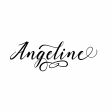
Pros: Stylish typeface. Supports international languages. Offers five glyphs. Handmade calligraphy font.
Cons: Angeline Swash is hard to decipher. Looks like other script fonts.
Pros: Brightness range from 20% to 100%. Straightforward interface. Available in the System Tray.
Cons: Lacks customization features.