Personalization (2009 programs)
Pros: An extremely fun and user-friendly desktop tool. There are more than 1000 different icon options to choose from.
Cons: There is no free trial version of Icon Packager. This software is currently not compatible with mobile phone architecture.
Pros: The app is easy to use and it has a wide variety icons. Ideal for developers and web designers.
Cons: If you want high-res icons it will cost you. It would be nice if users could add our own graphic files.
Pros: 14 high quality images of cats and dogs. Quick and easy to download and install.
Cons: For Windows operating systems only. Installation implements all changes.
Pros: Choose from different background images. Change the colour of your windows.
Cons: Only a limited number of images to choose from. Only a limited number of images to choose from.
Pros: Free for Windows users. Detailed and well-designed images.
Cons: Available for Windows only. Limited amount of designs included.
Pros: Choose from up to 15 different images. Change the system colours and sounds to match.
Cons: Available only to Windows users. Requires Windows 8 and up.
Pros: Line up and arrange your games as you desire. Clicking a game icon opens a game and nothing else. Pin your friends' profiles to your start screen. Doesn't force you to share your selections via your profile.
Cons: App does not connect to your Steam library in Windows 10. Crashes if you try to customize the small tile. Cannot resize tiles because they are stuck in medium mode. Occasionally, some games will not show up on the app.
Pros: It is nice for fans of the pocket monster creatures. Very colorful images with patterns. Some of the wallpapers are very detailed.
Cons: The website and register button do not appear to do anything. There are no pictures of stadiums and locations. You cannot play the game it is based on the first generation of games.
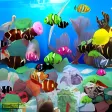
Pros: Stunning graphics. Easy to install. Four sets of fish to choose from.
Cons: Only visible when the computer is not in use.
Pros: Much more interesting than most screensavers.. Seemingly endless developments on the theme.. Still works effectively as a screensaver..
Cons: Some bugs do detract from the entertainment..
Pros: Clean, minimalist flip-clock design. Highly visible even from a distance. Easy to install and configure. Lightweight and reliable performance.
Cons: Limited customization options. Occasional compatibility quirks on newer systems.
Pros: Cool-looking and smooth. Changes Explorer windows. Should be quite familiar.
Cons: Some alignment issues.
Pros: The focus tools may help you organize your workload more efficiently. Animations make using your computer a little more fun. Hiding your icons at the click of a button is very handy.
Cons: It does require a more modern computer. The software may create lag in less powerful computers. It is a frivolous bit of fun that some people may not appreciate.
Pros: Images included are optimized for Windows 7. Easy to download and install. Cool wallpapers.
Cons: Only has seven wallpapers. Lacks screensavers and other personalization option. Not really worth downloading.
Pros: Easy to install. Smooth and detailed graphics. Cool sound effects. Comes with animated parts.
Cons: Only the trial is free. Takes up a lot of memory. The novelty wears off quickly. Rather limited in its scope.