Productivity (3481 programs)
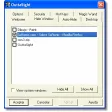
Pros: Simple and straightforward functionality. Push-button mechanism. User-friendly and comprehensive tabbed interface. Password protection.
Cons: Old application. Not a lot of hotkey options. Picking specific windows to auto-hide can be cumbersome. May not work great on latest Windows systems.
Pros: Supports unlimited participants. Infinite board in all directions. Built-in mathematics typing tool. Supports freehand drawing.
Cons: No audio features. Lacks recording function. Can be laggy. Uses large amounts of data.
Pros: Makes apps and programs accessible. Not intrusive. Lightweight.
Cons: Outdated interface.
Pros: Easy to use.
Cons: Requires administrator privileges.
Pros: Free to use with no license restrictions. Supports a wide range of file systems. Can create bootable recovery media. No reboot required for most changes.
Cons: Dated interface design. Lacks advanced automation or merge features.
Pros: A great way to avoid lengthy and possibly insufficient debugging processes.. Very little hard drive space is needed; perfect for those with limited memory capacity..
Cons: This software has not been updated for some time.. Those with limited technical experience may run into problems during the installation process..
Pros: Simple interface. Lightweight. Can be hidden in the menu bar.
Cons: No other functions. Some setting options do not work.
Pros: Simple interface makes it easy to use. Includes an auto-optimization feature. Presents users with detailed graphs. Can be set to launch on start up.
Cons: Only one auto-optimization setting. Counter-productive on powerful machines. Fewer advanced options than rivals. Can actually increase app start up times.
Pros: Simple setup and easy to use. Invoice templates. Recurring billing options included. Tax calculation support for invoices.
Cons: Outdated design.
Pros: Easy to use. Straightforward designs on mind maps. Has a strong emphasis on folding branches. Flexible connections.
Cons: Outdated interface. Design tools don’t look fancy or neat. Might damage flash drives. Opens and saves files to My Documents by default.
Pros: It is very easy to work with this compressor.. Users can leverage all of its main functions while in trial mode..
Cons: The package will eventually have to be purchased.. It is not possible to convert the PDF files themselves..
Pros: Easy upgrades. Multiple functionalities. No separate installation of features needed. Free for private users.
Cons: Doesn’t work with all versions of Windows. Not updated frequently enough. Not for novices. Normal users won’t need most of the features.
Pros: Manage and copy your files with USB Flash drives. Backup and restore using this app and Flash drives. Each function on the user interface is explained with text. Has handy icons and images to signify different functions.
Cons: Only works with Windows XP. Cannot help you locate or label corrupted Flash drives. Most devices already have these utilities pre-installed. Loads slower than pre-installed USB Flash drive managers.