Screen Savers (402 programs)
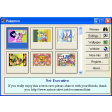
Pros: It is nice for fans of the pocket monster creatures. Very colorful images with patterns. Some of the wallpapers are very detailed.
Cons: The website and register button do not appear to do anything. There are no pictures of stadiums and locations. You cannot play the game it is based on the first generation of games.
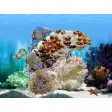
Pros: Stunning graphics. Easy to install. Four sets of fish to choose from.
Cons: Only visible when the computer is not in use.
Pros: Clean, minimalist flip-clock design. Highly visible even from a distance. Easy to install and configure. Lightweight and reliable performance.
Cons: Limited customization options. Occasional compatibility quirks on newer systems.
Pros: Much more interesting than most screensavers.. Seemingly endless developments on the theme.. Still works effectively as a screensaver..
Cons: Some bugs do detract from the entertainment..
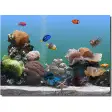
Pros: Highly realistic 3D visuals. Smooth fish animations and coral details. Customizable fish selection. Optional on-screen clock feature.
Cons: Slightly heavy on CPU usage.
Pros: Looks like an aquarium. Has a variety of fish.
Cons: No help files. Doesn’t work on dual monitors.
Pros: Easy to install. Detailed configuration settings.
Cons: If you don't like Valentine's Day, stay away from this one.
Pros: Great idea. Pretty funny.
Cons: That music gets annoying!.
Pros: Loads of characters. You won't get bored.
Cons: Could have been much nicer.
Pros: Free screen saver mode. Great looking 3D models. Lots of performance optimizations.
Cons: Live wallpaper is a paid feature. Resource hog.
Pros: Customize scenery. Choose from up to 30 fish. Interactive. Calming and stress-free.
Cons: Outdated animations. Not compatible with newer operating systems. Repetitive. Graphic-intense and battery draining.