Security & Privacy (1525 programs)
Pros: Prevents accidental deletion of your files. Issues deletion warnings.
Cons: Does not replace an anti virus suite.
Pros: Locks your files from unauthorized use. Simple to use.
Cons: Can be breached simply by uninstalling.
Pros: Performs thorough scans. Prints out reports.
Cons: Doesn't provide realtime protection.
Pros: Integrates into Windows shell.
Cons: No way of recovering lost passwords.
Pros: Several encryption methods to choose from. Database can be organized in several categories.
Cons: No password generator. It doesn't export passwords.
Pros: Can be transported on any USB stick. Free and easy to use.
Cons: Does not protect in real time. Does not update automatically without prompting.
Pros: Very powerful encryption methods. Simple to use. Works with external devices.
Cons: No way of knowing for sure if it's 100% secure as developers claim.
Pros: Very light on RAM and CPU. Very easy to use.
Cons: Doesn't detect anything that other scanners can't. Interface GUI is very basic.
Pros: Free to use. Portable and secure.
Cons: Asterisk revealer doesn't work for all sites.
Pros: All your log-in data, wherever you go. It’s portable via USB pen-drive.
Cons: It should fill in the log-in forms automatically.
Pros: Easy to use. Protect folders from copying, deletion or adding to.
Cons: Doesn't reveal encryption method. Not integrated into Windows Explorer shell.
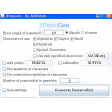
Pros: You can create as many passwords as you need. Copy them to the Clipboard or save them in a TXT file. Customize the way passwords are generated. Include personal words to make them easier to remember.
Cons: No password strength indicator.
Pros: Very cheap and simple security solution. Locks your PC from unauthorized use.
Cons: Can be disabled simply by taking out.
Pros: Automatic configuration. White and black lists. Seamless integration with Outlook Express.
Cons: Requires training time to be fully effective.
Pros: Very easy to use, especially newbies.
Cons: No encryption options. Requires having the program installed to decrypt data.
Pros: Integrates into Windows Shell. Lots of useful utiltiies.
Cons: Creates too many passwords. No password manager.
Pros: Doesn't even require you to touch the keyboard. Washes everything on desktop.
Cons: Does not clean system tray. Slow to react with lots of program open.
Pros: Portable - fits on a USB stick. Fast scanning. Scans memory also.
Cons: Doesn't pick up everything it should do. Limited in advanced options.
Pros: Works across applications.
Cons: Uses Java unnecessarily.
Pros: Open-source and reliable. Highly customizable and scalable. Cross-platform support.
Cons: Steep learning curve.