Utilities & Tools (10000 programs)
Pros: Calendar always visible on the desktop. Supports day, week, and month views. Free to use.
Cons: No calendar sharing features.
Pros: Lightweight and portable. Intuitive to use. Works on persistent apps.
Cons: Doesn't automatically scan for leftovers sometimes.
Pros: Frequent report of hardware-related information. Receive information on external displays directly. Helpful for system inventory, PC diagnostics, change management and live alerts. Remote support via mobile version and devices.
Cons: Few new features. Needs a detailed view of the performance tab.
Pros: Mobile app. Easy to navigate. Appealing user interface. Enable people to perform new trackpad actions.
Cons: Reports of malfunctions. Only functions with ASUS laptops.
Pros: Free and open-source. Portable. Supports multiple versions of Windows. Exhaustive list of options and settings.
Cons: Steep learning curve.
Pros: Searches for and deletes a wide range of temporary file types. Options for adding different file extensions. Support for scheduled tasks.
Cons: Scans can take a while.
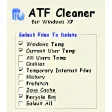
Pros: Use it alongside CCleaner to get everything. It will clean areas that some cleaners will not. You may deselect some temp files that you wish to keep.
Cons: It does miss a few of your temporary files. The program could use more features. It should allow you to customize the clean a little more.
Pros: Excellent interface. Comfortable menu layout. Hides when capturing files. Fast sending process. History feature.
Cons: Requires screencast account. Freezes and lags randomly.
Pros: Compresses and protects applications. Royalty-free publications. Supports multiple languages and themes. Trial available.
Cons: Cannot be used to transfer an entire website. File size limitations exist. No Windows 10 support. Trial is limited in functionality.
Pros: Free to use.. Update your phone easily.
Cons: Could do with more features.
Pros: Quick install. Runs efficiently. Backs up changes. Clear interface.
Cons: No confirmation box. Potentially damaging.
Pros: Supports multiple widely used generic USB drivers. Clear interface with straightforward device selection. Reliable driver installation and replacement process.
Cons: Intended for technical or advanced use cases. Limited scope beyond USB driver management.
Pros: Completely free. Light on the resources. Easy to use.
Cons: The ruler cannot measure diagonal lines. Only measures pixels. Ruler orientation cannot be changed.
Pros: Very easy to sync data. Works with a wide range of devices.
Cons: No mobile app available. Java required for certain applications.